OpenCode Go is a subscription from the OpenCode team that gives you 30 low-cost coding models for $10 a month, including GLM-5.3, Kimi K3.1 Pro and DeepSeek V4.1 Flash. You connect the subscription to OpenCode or another coding agent like any other model provider, and each model comes with its own monthly limit. On Atomic Bot, OpenCode runs on your Go subscription in the cloud 24/7.
Below we explain how Go's limits work now and what changed in them this year, and then show how to connect Go to OpenCode or run it in the cloud.
Prices and limits checked on November 2, 2026.
🎯 Quick answer
Price. Go costs $10 a month, Go Plus $40 and Go Teams $20 per member. The $10 buys one monthly allowance, worth $15 to $100 in tokens depending on the model you use. Anything past it, and any model outside Go, is paid from credits you top up separately in OpenCode Console.
Limits. A model can use up to a fifth of its monthly limit in any 5 hours and half in any week: $12 per 5 hours on GLM-5.3-Flash, $3 on Kimi K3.1 Pro.
Setup. Subscribe in OpenCode Console, then connect Go in OpenCode with your API key or by signing in.
In the cloud. On Atomic Bot, OpenCode runs on your Go subscription 24/7, from $19 a month. When a Go limit runs out, it moves to Atomic credits.
What Is OpenCode Go?
OpenCode Go is a model subscription from Anomaly, the company behind OpenCode. One subscription gives you models from DeepSeek, Moonshot, OpenAI, Anthropic and other labs, so you don't need an account and a balance with each of them. The OpenCode team tests every model for agentic coding before adding it to Go.
OpenCode Go Plans and Pricing
All three plans renew every month until you cancel and have the same models at the same token prices. Go and Go Plus work only in a workspace with one person. A team can take Go Teams instead: every member gets their own limits, $5 a month above Go on each model, and Extra Usage is on from the start, so requests past the limits are paid from the Console balance until you turn it off.
What Does the OpenCode Go Subscription Include?
The $10 OpenCode Go subscription pays only for Go models, up to each model's monthly limit. Anything else is paid from credits you top up separately in OpenCode Console:
- Included in the $10: one monthly allowance, worth $15 to $100 of tokens depending on the model you use.
- Paid from credits: requests past a model's limit, if you turn on Extra Usage, and any model outside Go.
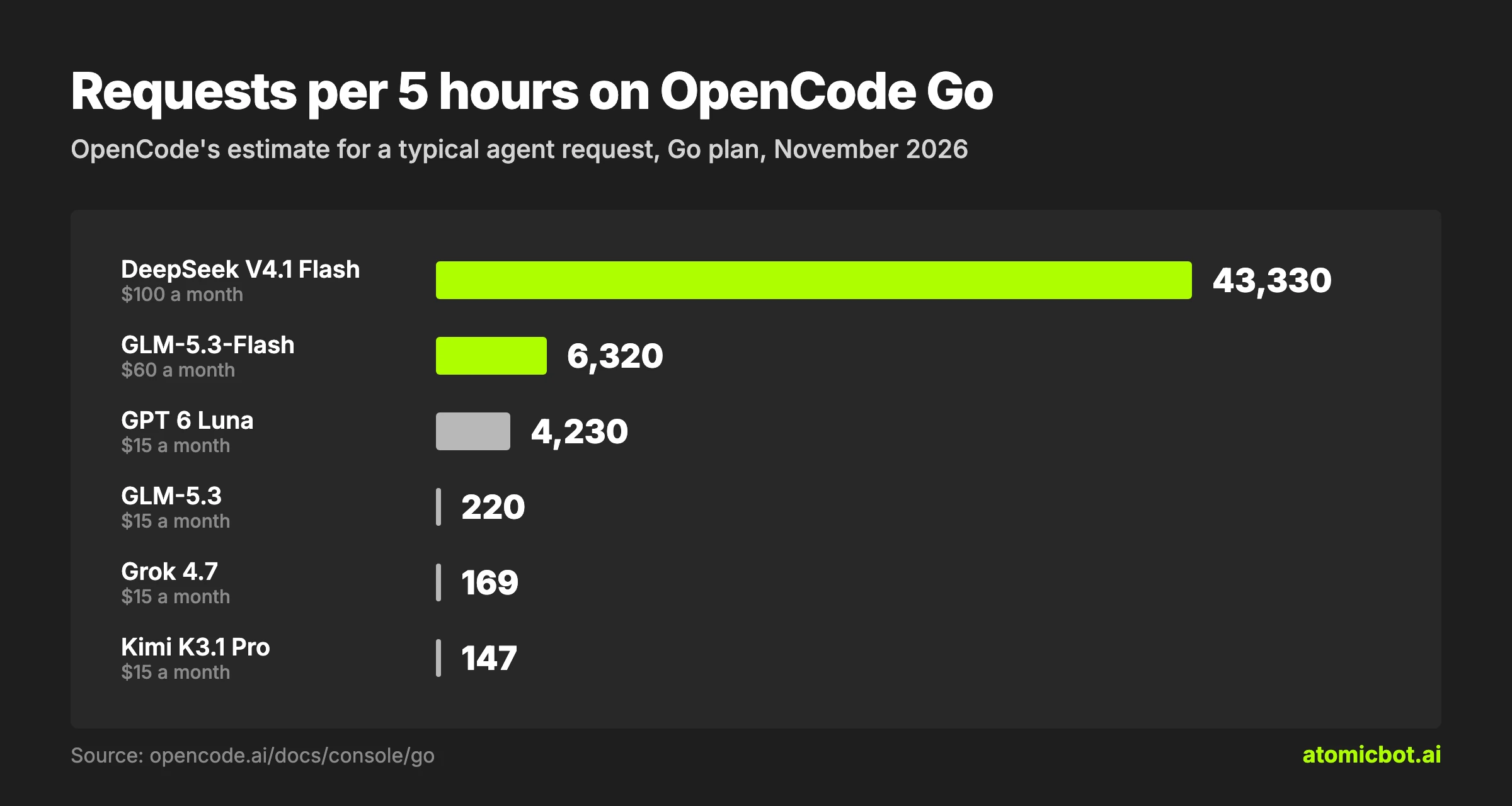
On a model with a $60 limit, Go gives you six times what you pay, and on DeepSeek V4.1 Flash ten times. On the 12 models with a $15 limit, such as Kimi K3.1 Pro and GLM-5.3, you get only $5 more, so Go is worth it if your work runs mostly on the $60 and $100 models.
OpenCode Go Models and Token Prices
Here is what the $10 Go plan gives you each month on the 10 Go models that got the most use in OpenCode in the week to October 28, 2026, according to OpenCode Data. Prices are per 1 million tokens. Cached read is the price for the part of a request the model has already seen: an agent sends the whole conversation again with every request, and most of it is billed at this lower price.
- Prices and limits for all 28 paid models are in the OpenCode Go docs. Beam Free and Iceman Contributor Free cost nothing for a limited time.
- GPT 6 Luna costs more past 272K tokens of context, and Claude Haiku 5.5 past 100K.
- DeepSeek prices double on weekdays from 01:00 to 04:00 and from 06:00 to 10:00 UTC, so a long DeepSeek job uses half as much of your limit outside those hours or on a weekend.
- The token counts assume a typical agent request where about 98% of tokens are cached: for GPT 6 Luna, about $0.0007 a request, or 21,000 requests a month. An agent that sends more new text gets fewer tokens for the same money.
OpenCode Go Usage Limits
OpenCode Go sets a monthly limit in dollars for each model, and every request takes part of it at the model's token price. You can spend up to a fifth of the monthly limit in any 5 hours and up to half in any week, so using up a full month takes at least two weeks.
Go Plus raises each limit two to eight times, depending on the model.
The limits draw on one allowance, and a model's monthly limit sets how fast it uses it: $15 of Kimi K3.1 Pro and $60 of GLM-5.3-Flash each take the whole month. Users in r/opencode who switched between models to stretch a plan still hit the weekly limit before any single model reached its own.
What Changed in OpenCode Go Limits in 2026
The per-model limits arrived in late July. In mid-August DeepSeek V4 Flash dropped from $60 to $30, and the $5 first month ended the same month. In mid-September the 5-hour and weekly windows started to count per model, and Go Plus launched at the end of September. DeepSeek V4.1 Flash went up to $80 in October and to $100 by early November, the same week OpenCode added Go Teams.
What to Do When OpenCode Go Limits Run Out
On a $15 model, $3 per 5 hours can go on a single large task, since every step an agent takes, such as reading a file or running a command, is a separate request. In r/opencode, one user spent the whole 5-hour window and 40% of the week on one GLM-5.3 code review, and another hit the limit within 10 minutes on Go Plus while Kimi K3 read a repository.
To make the limits last:
- Run long tasks on a $60 or $100 model such as DeepSeek V4.1 Flash or GLM-5.3-Flash, and switch to Kimi or GLM-5.3 only for the hardest part.
- Start a new session for each new task. The longer the conversation, the more each request costs.
- Check the Go page in OpenCode Console. It shows how much of each window you've used and when it resets.
When a limit runs out, you can wait or pay for more:
- Wait. Usage from 5 hours ago frees up on its own, and free models keep working in the meantime.
- Pay for more. Top up your OpenCode Console balance and turn on Extra Usage on the Go page, and requests past the limit are paid from the balance. Each top-up adds 4.6% + $0.31 ($50 of credits costs $52.61), and a monthly budget in Controls caps the spend.
On Atomic Bot, an agent connected to Go switches to Atomic credits when the Go limit runs out, so a long task doesn't stop halfway.
How to Set Up OpenCode Go
To use Go in OpenCode, you need OpenCode installed and an OpenCode Console account.
Step 1: Subscribe to OpenCode Go
Sign in to OpenCode Console, OpenCode's web account, at opencode.ai/go, pick Go, Go Plus or Go Teams and add your billing details.
DeepSeek and Muse Spark models are off by default. To turn on DeepSeek V4.1 Flash and DeepSeek V4 Pro, open Settings › Privacy in OpenCode Console and select Global under Regions. Muse Spark 1.3 and 1.2 Contributor need Allow paid endpoints that train on request data in the same place, because Meta prices them low in exchange for training on your prompts.
Step 2: Get Your OpenCode Go API Key
After you subscribe, copy your API key in OpenCode Console. If your key is older than October 17, 2026, check that it still works: after the OpenCode Console breach that week, many keys were revoked, and signing in again doesn't bring them back. In that case, create a new key.
Step 3: Connect OpenCode Go in OpenCode
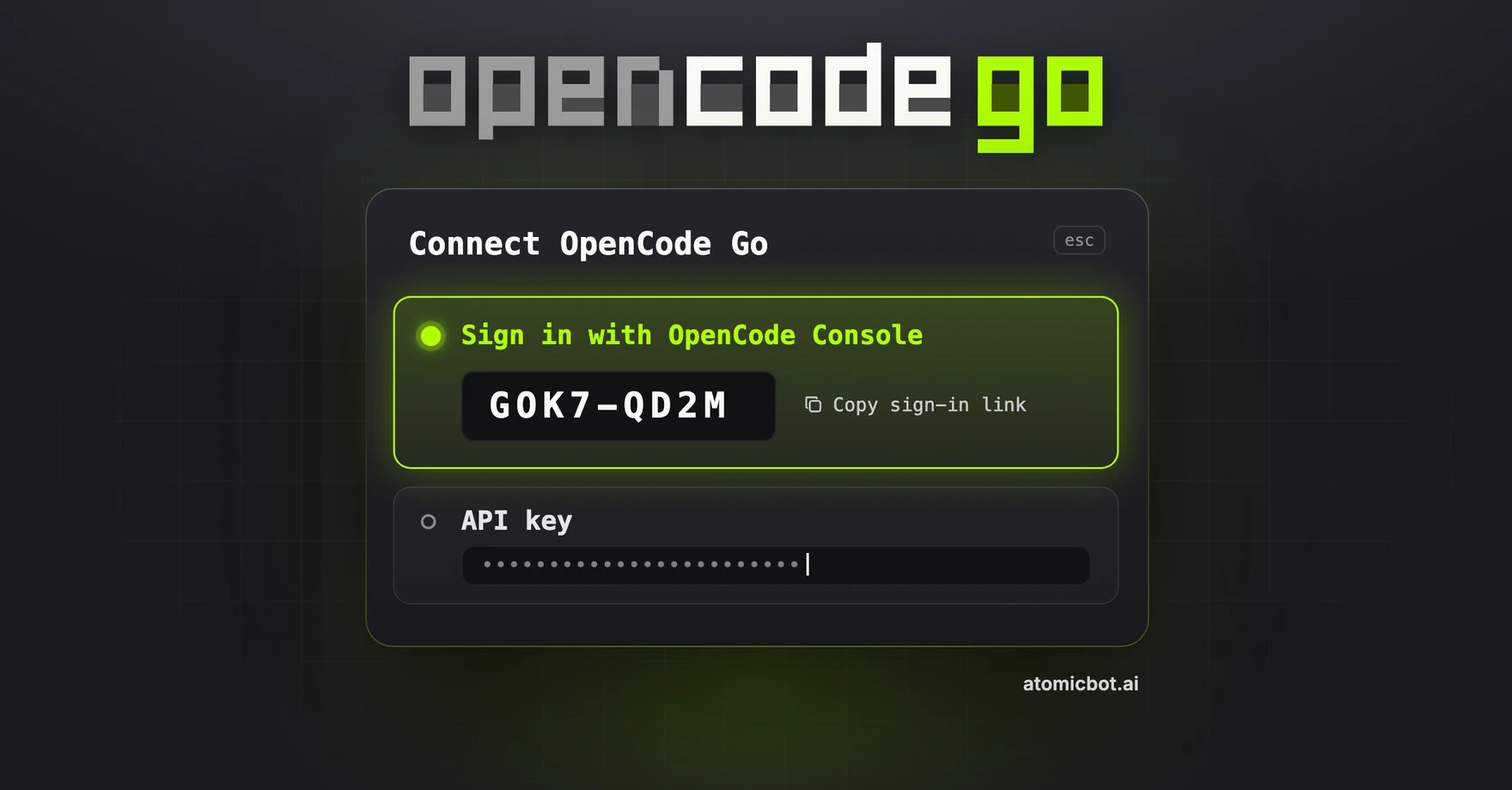
In OpenCode, type /connect, pick OpenCode Go and paste your API key. OpenCode 2 can also connect without a key: pick OpenCode Go, open the sign-in link it shows and confirm the code in OpenCode Console. Then type /models and pick a Go model.
The OpenCode Go docs have setup guides for Claude Code, Codex, Hermes Agent and Pi.
On Atomic Bot, you sign in with Go or paste the same key once, with no commands.
How to Run OpenCode Go in the Cloud 24/7
OpenCode works only while the computer running it is on. To keep it working on Go when your laptop is closed, or to send it tasks from your phone, it needs a server that stays on.
Atomic Bot is a cloud platform that runs OpenCode, Codex, OpenClaw, Hermes Agent and other AI agents, each on its own server that stays on 24/7.
- Sign up at atomicbot.ai/opencode with any email and pick OpenCode. It's live within a minute.
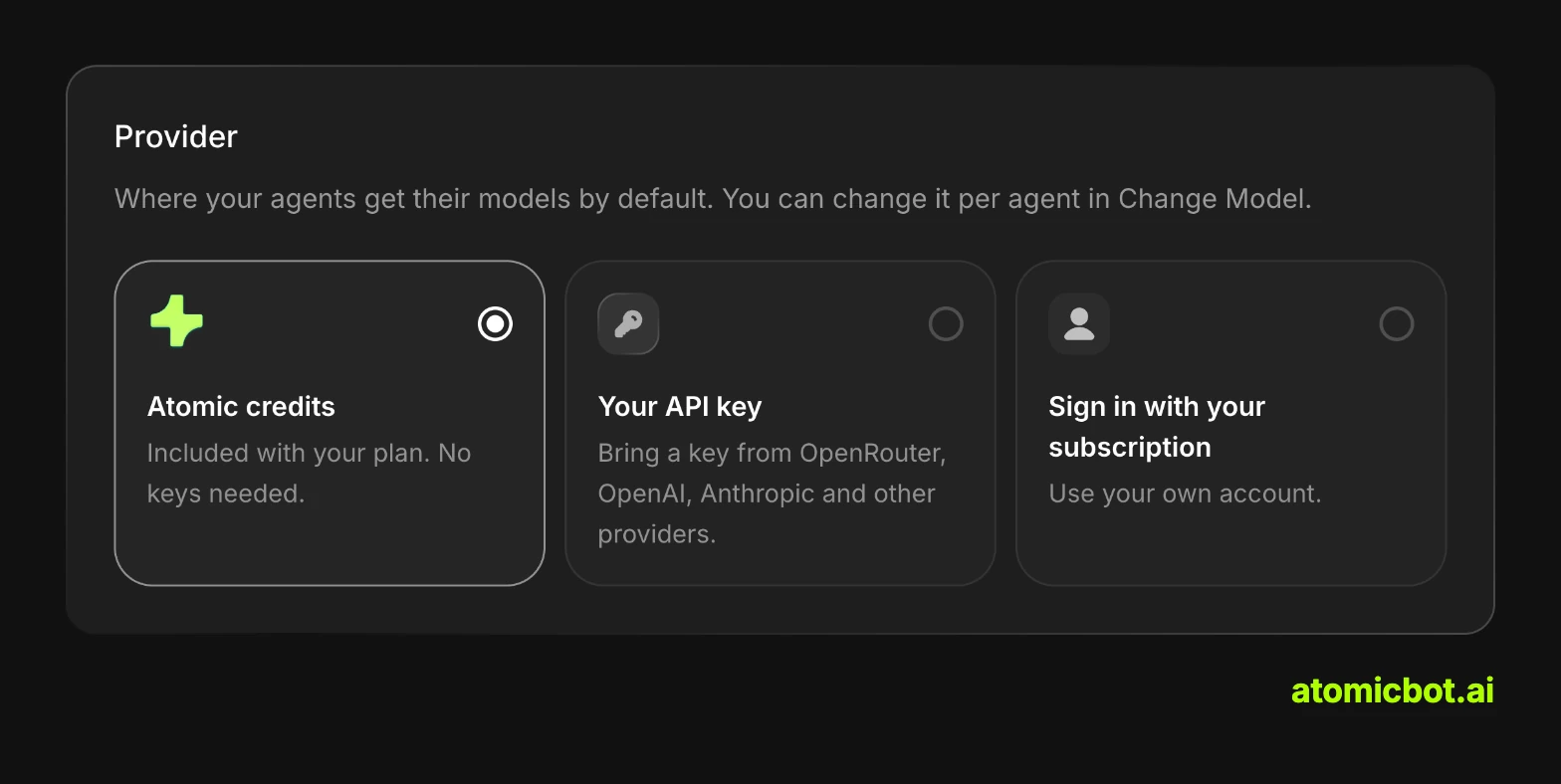
- Connect Go: sign in with your Go subscription or paste your Go API key.
- Pick a Go model for your agent.
OpenCode connects to apps such as GitHub, Slack, Linear and Notion in a couple of clicks. If it stops, it restarts on its own in under 30 seconds, and each instance is isolated and encrypted.
Atomic Bot has three plans: Base for $19 a month, Pro for $39 and Max for $79. Requests within your Go limits cost nothing on top. The plans include $5, $10 and $20 of model credits every month, and Base comes with 4 vCPU, 8 GB of RAM and an 80 GB SSD. The Usage & Billing page shows your spending in dollars.
Best for: developers who pay for Go and want OpenCode working on it 24/7 without setting up a server.
FAQ
What's the difference between OpenCode Go and Zen?
Zen is OpenCode's pay-as-you-go service: you top up a balance in OpenCode Console and pay for each request at the model's token price, with 83 models including Claude Opus 5.5 and GPT 6 Sol. Go is a monthly plan with 30 lower-cost models and a limit on each.
Is there an OpenCode mobile app?
The OpenCode team has an iPhone app in TestFlight beta, and it needs the computer running OpenCode to stay on. On Atomic Bot, you can message OpenCode in Telegram instead, and it replies there when the task is done.
Do I need OpenCode Go to use OpenCode on Atomic Bot?
No. On Atomic Bot, OpenCode also runs on the credits included in your plan or on an API key from another provider.
Get started
Atomic Bot runs OpenCode in the cloud 24/7, from $19 a month with $5 of model credits included. To use OpenCode Go there, sign up and pick OpenCode, then connect Go by signing in or with your key. There's nothing to install, and you can cancel any month.