.svg)



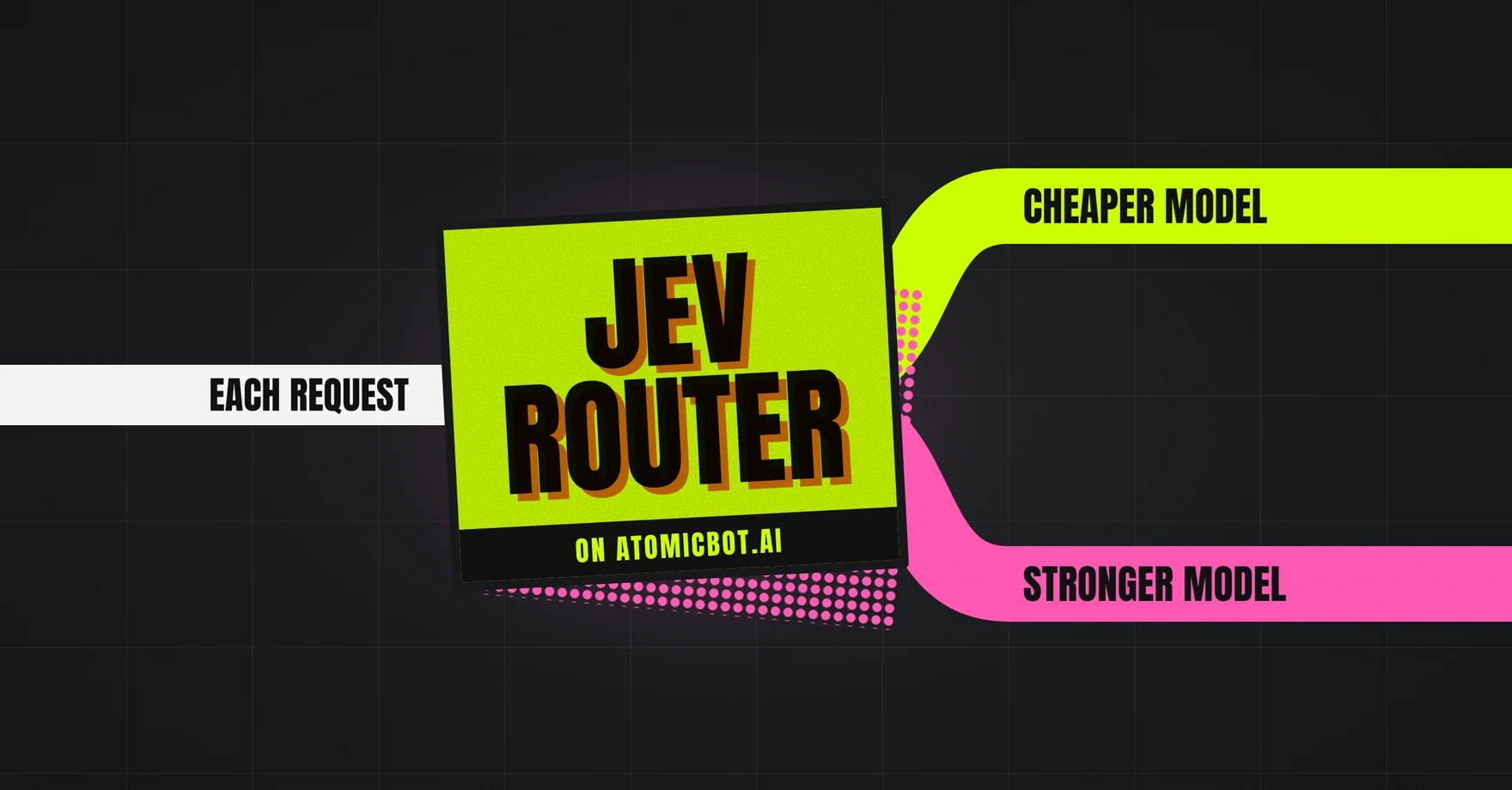
Jev Router is a model router that runs on Jev, a decision model from TypeSafe AI. You connect it to your agent like any other model and it matches the model to the task: quick questions run on a cheaper model, and complex work gets a stronger one.
This article explains how it works and how to connect it to OpenClaw, Hermes Agent, Codex CLI and OpenCode, with commands checked against the official docs.
Updated in October 2026 for OpenClaw 2026.9.9, Hermes Agent v0.21.6, Codex CLI 0.162.0 and OpenCode 1.18.35.
🎯 Quick answer
Jev Router picks the right model and reasoning effort for every request your agent sends. To use it with an AI agent:
- Get an API key for Jev Router.
- Add the key to your agent. The sections below show how for OpenClaw, Hermes, Codex and OpenCode.
- Set the agent's model to typesafe/jev-router.
- Send a request. Jev then picks the right model for each task, and your provider's logs show which model answered.
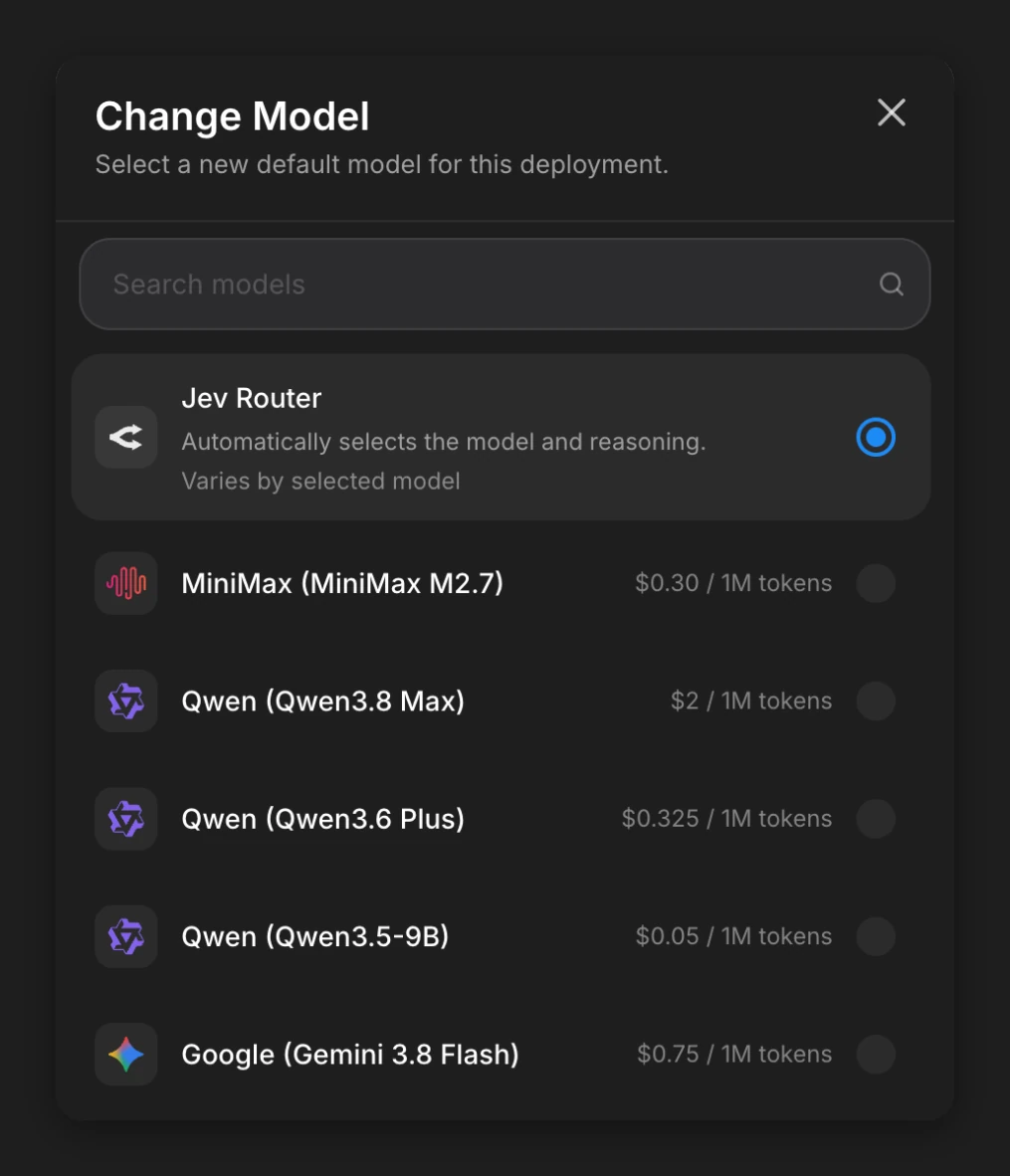
On Atomic Bot, it's one step: pick Jev Router in your agent's Change Model window. You pay only for the model that answers each request.
What Is Jev Router?
Jev Router is a model router that picks the right model for each request. It takes each request from your agent and sends it to one of the models it works with: a simple question can get one model, and a big coding task another. OpenRouter launched it on September 25, 2026.
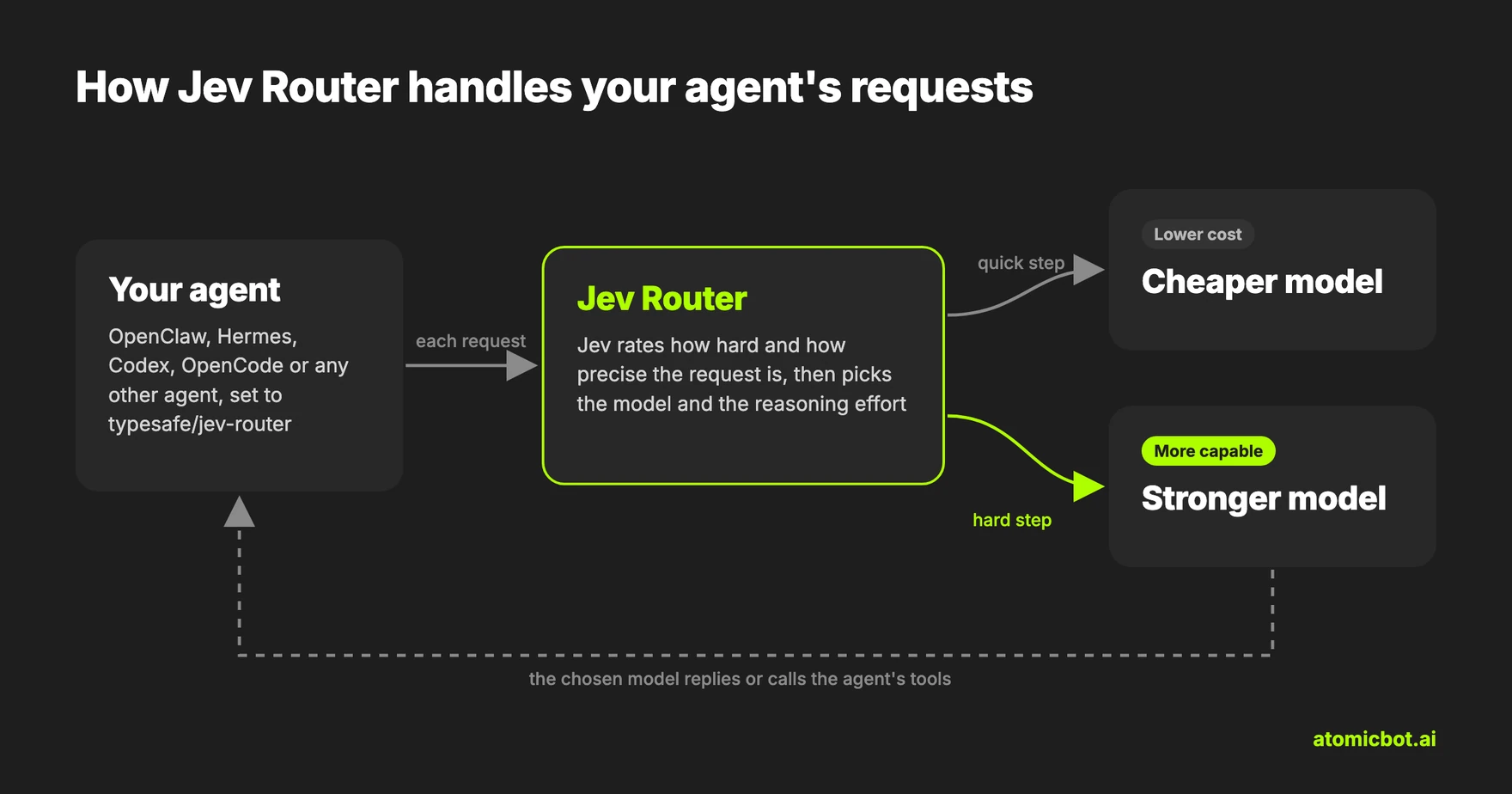
Before each turn, Jev reads the conversation and scores the request on difficulty and on how precise the answer needs to be. It checks whether a bigger model or more effort would help, or whether a cheaper model is enough. On later turns it also checks whether the task has changed. The router weighs those scores against the estimated cost and any limits you set, then sends the request to the chosen model, which writes the reply. For the hardest requests, it can also bring in an expert advisor, a second model that assists the one doing the work.
Jev Router also sets the reasoning effort. A higher effort gives the model more room on a hard problem, and a lower one answers faster and costs less. If the agent sends its own reasoning effort, Jev Router treats it as a hint and can pick another.
Jev Router, Jev and "jev-router" Plugins
Three things share the Jev name, and only one of them, typesafe/jev-router, goes into your agent's model setting. TypeSafe's own docs say Jev itself isn't a drop-in replacement for the model behind tools like Claude Code and OpenCode.
Jev Router Models and Use Cases
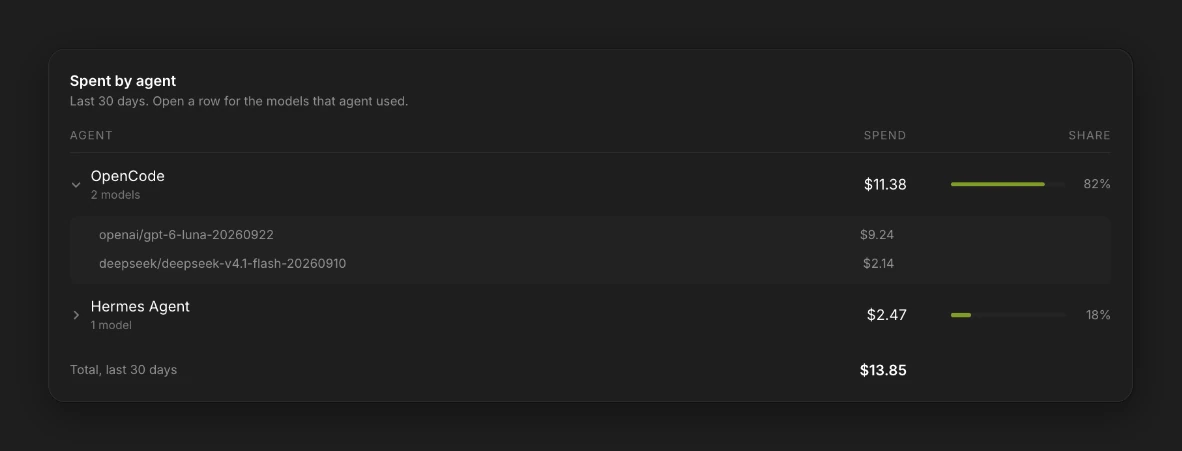
OpenRouter doesn't publish the list of models Jev Router picks from and says it can change over time. In our runs on Atomic Bot in October 2026, quick questions went to GPT-6 Luna and coding tasks to DeepSeek V4.1 Flash. AI/ML API, another service that offers Jev Router, publishes its own list: eight models from GPT-6 Luna to Claude Opus 5.5 and GPT-6 Astra.
You can steer the choice through OpenRouter's API. A request can name models to include or exclude, and a cost tier from low to high tells the router whether to favor lower cost or more capable models.
Jev Router has no fixed price: each request costs as much as the model that answers it. AI/ML API also charges for the routing step, and Atomic Bot doesn't. Our two-step coding test with Hermes and Codex on Atomic Bot cost about one cent in total.
Use Jev Router when your agent gets both quick tasks and hard ones and would otherwise run all of them on a top model. Set a fixed model instead in four cases:
- Your agent only does easy tasks, so a low-cost model covers them.
- You need the same model on every request, for example for evaluations or audited workflows.
- You need a fixed price per request. Jev Router's cost settings don't cap the price of a request.
- Your data has to stay in a specific region. Jev Router works only in OpenRouter's global data region.
Jev Router Benchmarks
OpenRouter's numbers come from its own tests. In its launch posts on September 25, 2026, it reported that on four agent benchmarks Jev Router solved 237 of 423 tasks, against 130 for OpenRouter's Auto Router. On OpenRouter's router benchmark page, in runs from late September 2026, Jev Router scored 70.4% on Deep SWE at $0.79 per task.
How Jev Router Works with AI Agents
Once connected, the agent works as usual. It sends each turn of the conversation to Jev Router along with its tools, and the model Jev picked writes the reply or calls one of the agent's tools. Jev Router supports tool calls, so the agent's tools keep working.
In agent sessions the choice can change from turn to turn. OpenRouter's documentation says that during supported agentic workflows the router "can retain a model, adjust its effort, or switch models as the task progresses." At launch, OpenRouter wrote that every switch loses the cached chat, so you pay full price for the new model to reread the conversation. Jev Router switches only when it expects to gain more than the switch costs.
To see which model handled a request, check the Logs page in your OpenRouter account. On Atomic Bot, the Usage & Billing page shows which models Jev Router picked for your agent and what each one cost.
How to Connect Jev Router to OpenClaw, Hermes, Codex and OpenCode
To connect Jev Router, get an API key from OpenRouter or AI/ML API and set your agent's model to typesafe/jev-router. The commands below use an OpenRouter key. On Atomic Bot, you just pick Jev Router in the Change Model window.
How to Use Jev Router with OpenClaw
OpenClaw has OpenRouter built in, so switching it to Jev Router takes the two commands below. The first adds your OpenRouter key, and on a fresh install you can pick OpenRouter during onboarding instead. The second switches the model, which needs an openrouter/ prefix in front of typesafe/jev-router. Chats that were pinned to the old model keep it, so send /model default in those chats. If your config has a model allowlist, add Jev Router to it.
openclaw models auth login --provider openrouter --method api-key
openclaw models set openrouter/typesafe/jev-router
How to Use Jev Router with Hermes Agent
Hermes reads the OpenRouter key from ~/.hermes/.env, and the first command below adds it there. Then run hermes model, choose OpenRouter, pick Enter custom model name and type typesafe/jev-router. When Hermes asks for a reasoning effort, you can skip it, because Jev Router treats any value as a hint. From a chat, the same switch is /model typesafe/jev-router --provider openrouter --global, and without --global it lasts only for that session.
echo 'OPENROUTER_API_KEY=sk-or-...' >> ~/.hermes/.env
hermes model
How to Use Jev Router with Codex CLI
Codex reaches OpenRouter through a provider entry in ~/.codex/config.toml. Add the block below to that file. The first two lines go at the very top, above any section in square brackets, and they replace any model or model_provider lines already there. If an older config sets wire_api to "chat", Codex 0.162.0 stops with an error, so change it to "responses".
model_provider = "openrouter"
model = "typesafe/jev-router"

[model_providers.openrouter]
name = "openrouter"
base_url = "https://openrouter.ai/api/v1"

[model_providers.openrouter.auth]
command = "sh"
args = ["-c", "echo $OPENROUTER_API_KEY"]
On Mac and Linux, add the key to ~/.zshrc or ~/.bashrc and open a new terminal before you start Codex:
export OPENROUTER_API_KEY="sk-or-..."On Windows, the last two lines of the config run PowerShell instead:
command = "powershell"
args = ["-NoProfile", "-Command", "Write-Output $env:OPENROUTER_API_KEY"]
Then save the key with setx and start Codex from a new PowerShell window, since windows that are already open won't see the key:
setx OPENROUTER_API_KEY "sk-or-..."How to Use Jev Router with OpenCode
The steps below are for OpenCode 1.x. OpenCode connects to OpenRouter with its /connect command, or under Settings, Providers in the desktop app. Jev Router isn't in OpenCode's built-in model list, so add it to opencode.json, globally in ~/.config/opencode/ or in the project root, and restart OpenCode. After the restart Jev Router is the default model and also shows up in the /models picker.
{
  "$schema": "https://opencode.ai/config.json",
  "model": "openrouter/typesafe/jev-router",
  "provider": {
    "openrouter": {
      "models": {
        "typesafe/jev-router": {}
      }
    }
  }
}
Jev Router on Atomic Bot: No Key, No Config
Atomic Bot is a cloud platform that runs AI agents 24/7, each on its own server, and the four agents from this article are all there. You sign up at atomicbot.ai, pick an agent, and it opens in your browser within a minute.
You skip the OpenRouter key and the config files here. Open the Change Model window, pick Jev Router and press Apply. That's the whole setup.
An agent on Atomic Bot keeps working after you close the tab. Jev Router picks the model for each request on its own, so there's nothing to switch by hand.
Jev Router itself costs nothing extra: the agent spends credits only on the model that answers each request.
On October 9, 2026, we gave Hermes and Codex on Atomic Bot the same two-step coding task on Jev Router: write and run a small function, then add tests and run it again. Both agents finished both steps with their own tools, and the run cost about one cent in total.
Your agent also gets connectors for 100+ apps, such as GitHub, Slack, Linear and Notion. Each one connects in a couple of clicks. If the agent stops, it restarts on its own in under 30 seconds.
Besides Jev Router, the agent can run on any of 100+ models by OpenAI, Anthropic, Google, Qwen and other labs, with the price per million tokens shown next to each. It uses the inference credits included in your plan, or you can bring your own API key (BYOK).
Atomic Bot has three plans: Base for $19 a month, Pro for $39 and Max for $79. They include $5, $10 and $20 of inference credits every month, and you can cancel any month. Once your agent is running, a second agent of your choice is free for the first month.
FAQ
Do I need a Jev API key?
Not for Jev Router. It works with an OpenRouter or AI/ML API key, depending on where you use it. A TypeSafe key is only for calling Jev directly through TypeSafe's own API.
Can I use Jev with Claude Code?
As the main model, no. Anthropic doesn't support routing Claude Code to non-Claude models through any gateway. As a permission check, yes: OpenRouter has a recipe for a Claude Code hook, a small script that runs before each shell command the agent wants to execute. The hook asks Jev about the command and approves it only when Jev is at least 90% sure the command can be undone and fits the task. Every other command goes to the usual permission prompt.
How much does Jev Router cost?
There's no fixed price. On OpenRouter, you pay the rate of whichever model answers each request, and the Logs page shows what each request cost. On AI/ML API, you also pay for the Jev routing step. On OpenRouter's router benchmark page, in runs from late September 2026, Jev Router averaged $0.39 per task across the five tests.
Which models can Jev Router pick?
OpenRouter doesn't publish the list. In our runs on Atomic Bot, Jev Router picked GPT-6 Luna and DeepSeek V4.1 Flash.
What data does Jev see?
Jev reads only the conversation text, and only to pick the model and effort. It runs under zero data retention terms, so nothing is stored or used for training, and attachments never reach Jev. Jev Router works only in OpenRouter's global data region and only in workspaces that allow it.
Get started
Atomic Bot runs OpenClaw, Hermes, Codex and more in the cloud 24/7, from $19 a month with $5 of inference credits included. To run your agent on Jev Router in the cloud, sign up and pick Jev Router in your agent's Change Model window. No key, no config and you can cancel any month.