.svg)
GREAT NEWS, YOU ARE IN!
Want in faster?
Share your link to skip the line and get access sooner.
Share your link to skip the line and get access sooner.
Generating your link...
Oops! Something went wrong while submitting the form.
.svg) + New session
Agents
+ New session
Agents
 OpenCode
 OpenClaw
 Hermes
 NanoClaw
Balance$24.60
OpenCodeLive
NanoClaw
Balance$24.60
OpenCodeLive Z.ai
Z.ai Telegram connectedOn your phone via Telegram




Talk to OpenCode in the chat on Atomic Bot. Want its own interface? Open the OpenCode dashboard or the TUI from your agent card in one click. Same agent in the cloud, wherever you pick it up.
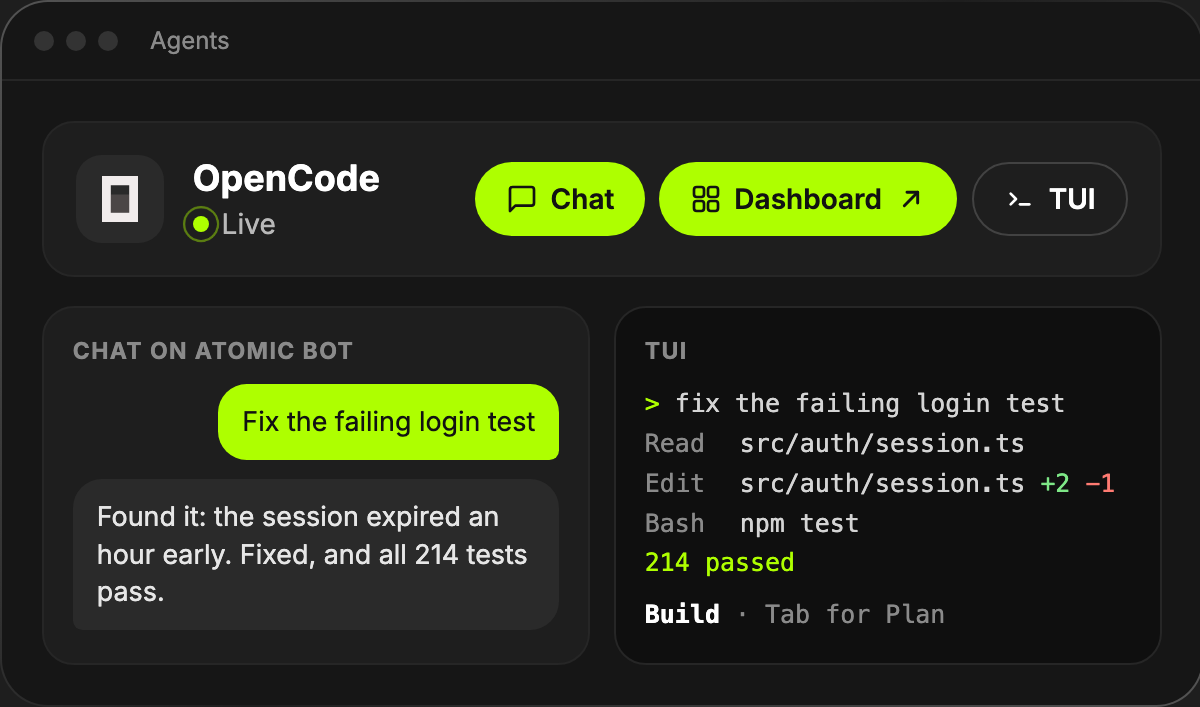
No servers, no terminal, no setup. Launch OpenCode in one click, and we keep it online, updated and ready.
OpenCode lives in the cloud, not on your laptop. Close the lid, lose Wi-Fi or fly across the world, and it keeps working.
Run a whole team from one login: OpenCode on your codebase, OpenClaw on your inbox, Hermes on research. Or run 300 copies of OpenCode side by side.
 OpenAIOnline
 AnthropicOnlineZ.aiOnline
 DeepSeekOnline
 QwenOnline
Pick the model for OpenCode from Anthropic, OpenAI, Google, DeepSeek, Qwen, Z.ai and more. One agent runs on one model, and you can switch it in a click.
OpenCode runs on
AnthropicOne agent runs on one model. Pick another one and it switches right away.
Your dashboard shows spend in plain dollars and how long your balance lasts at your current usage. No tokens, no credits, no math.
OpenCode$0.92/dayOpenClaw$0.62/dayHermes$0.51/dayModel costs go to your own provider account. Your plan still covers the agent in the cloud.
New OpenCode version? Make a backup and press update. If something breaks, roll back to your backup. Nothing to run in the terminal.
Our team answers any question, from how to write your first prompt to automating your whole workflow.
Which model should I pick for OpenCode?

Start with GLM 5.3 for everyday coding. For a big refactor, try a Claude model: switch it in Settings in one click.
Switched for the refactor, all tests pass. Thanks!
Choose the best Cloud deployment plan for you.
Every plan includes AI usage: $5, $10 or $20 of your subscription goes to models each month
BASE
For set-and-forget usersPerfect to run your personal AI agent with instant access.
System resources
.png) vCPU cores
4
vCPU cores
4
.png) RAM
8 GB
RAM
8 GB
.png) SSD storage
80 GB
SSD storage
80 GB
PRO
For daily agent usersMore power for heavier workflows, more context and more speed.
System resources
vCPU cores
8
RAM
16 GB
SSD storage
160 GB
MAX
For heavy usersMaximum capacity for demanding agents and intensive workloads.
System resources
vCPU cores
16–64
RAM
32–128 GB
SSD storage
320–1280 GB
.svg)
OpenCode is an open-source AI coding agent. It reads your code, edits files and runs commands to get a task done. On Atomic Bot it runs in the cloud 24/7 and needs no install.
In the chat on Atomic Bot, in Telegram, in the OpenCode dashboard and in its terminal interface (TUI). Open the dashboard or the TUI from your agent card in one click.
Yes. Run as many OpenCode agents as you need from one account, next to OpenClaw, Hermes and other agents. Each one keeps its own model and settings.
Yes. Open Settings, go to Inference and choose Use Your Own API Key. Or stay on Atomic Subscription and use 100+ models via OpenRouter without any key.
Base includes $5 a month, Pro $10 and Max $20. Usage & Billing shows every dollar you spend, and you can top up any time.
When a new version is out, you update with one click. Make a backup first, and if something goes wrong, roll back to it.
Yes. No lock-in, no commitments.
Atomic Bot © 2026, we comply with GDPR, CCPA, etc.