.svg)


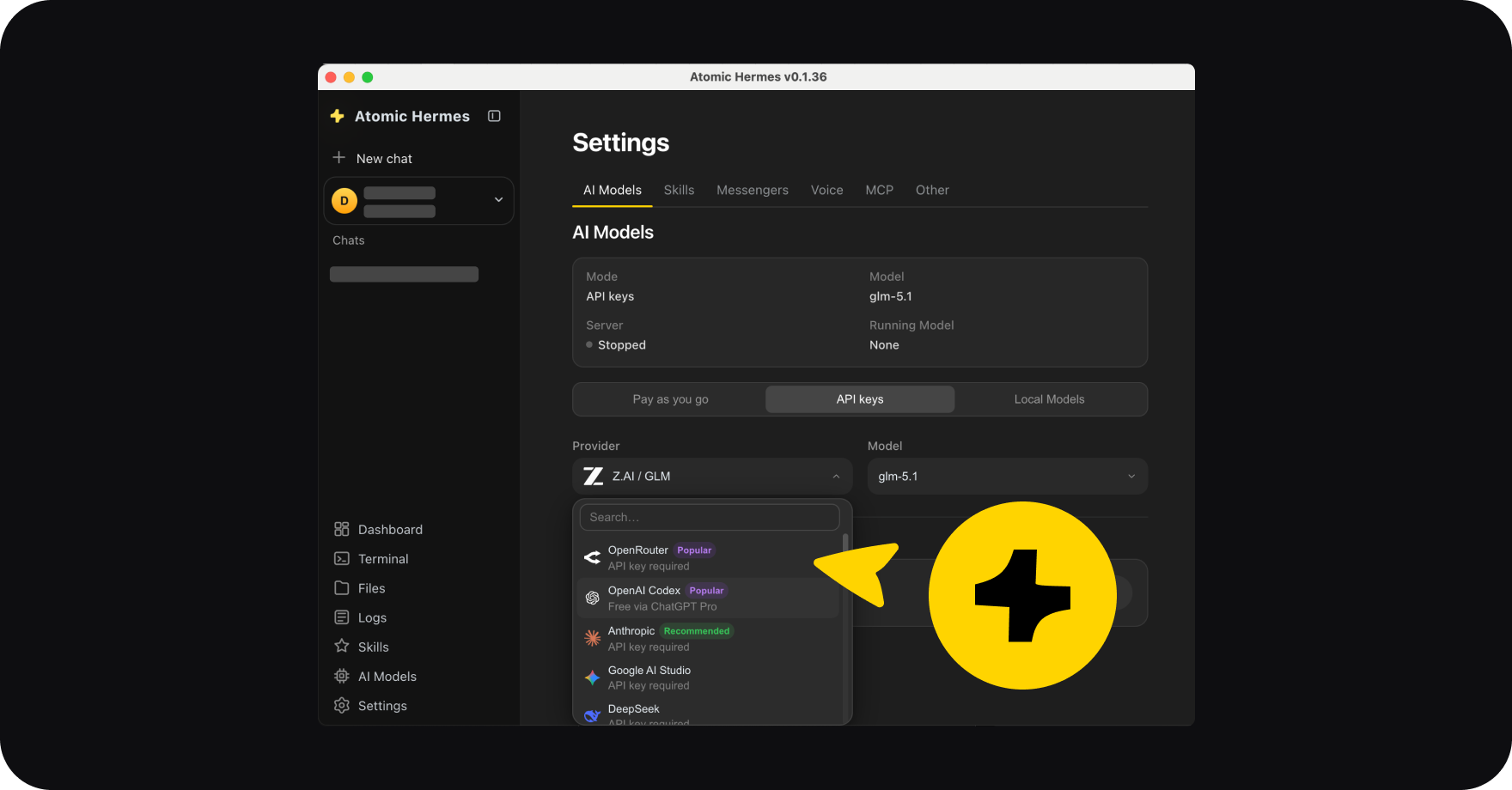
Starting your Hermes Agent is the easiest part of the journey: you download Atomic Bot, it runs Hermes for you. No matter what you want it to become: a bot or always-on setup, a local or self-hosted model – it is done in 5 minutes in the runner.
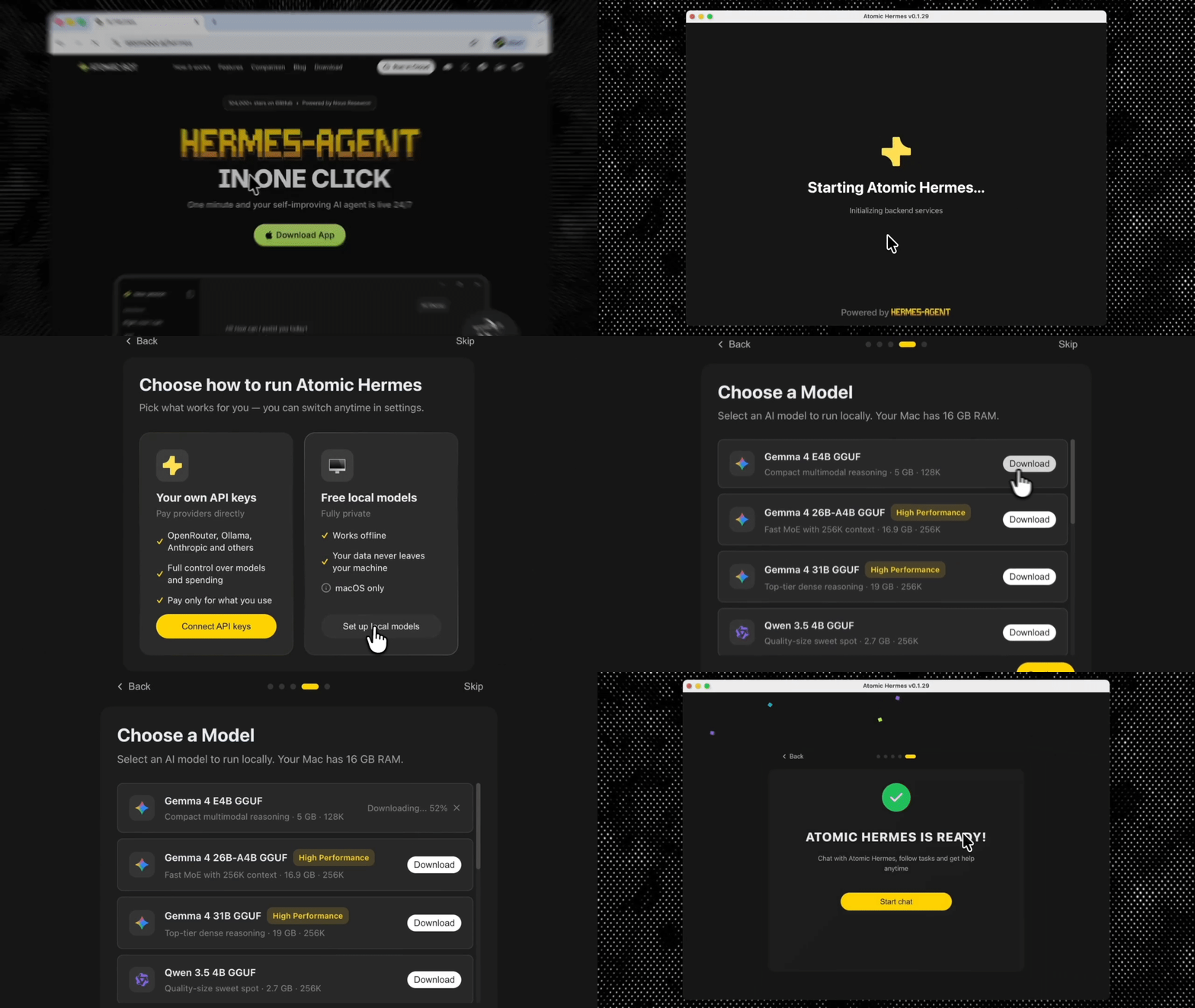
The tricky part comes after and it is to turning it into an agent you want with the skills you need, instead of a shiny toy that burns your budget after several runs.
We fetched collected what Hermes users on Reddit and X have worked out about running and personalizing the agent in practice.
What is Hermes Agent? Quick Review
Hermes Agent uses an architecture where a gateway is wrapped around a learning agent: a self‑improving AI core runs inside a deterministic control layer. That separation lets it evolve its own skills from tasks while keeping external traffic out of the learning loop, so the surrounding system can enforce security, scaling, and compliance.
If OpenClaw is a soldier that does only what it is told to – Hermes is a persistent operator, and it gets better and experienced the longer you run it. It is more versatile, more creative and does most thinking for you.
It is not necessarily better or worse than OpenClaw. Better to see it as a solution for different tasks.
When to pick Hermes over OpenClaw
If you want and your hardware can handle it, you can run both OpenClaw and Hermes – here's why. Still, Hermes is worth running when a task needs judgment, not just steps.
- The path to the answer isn't obvious: debugging code across files, working through a math or logic problem, planning a 20-email cleanup where each one needs different handling. Hermes 4's hybrid reasoning (the <think>mode that hit 96% on MATH-500) is built for cases where the agent has to figure things out, not just execute a known recipe.
- You want the agent to learn your workflow: Hermes edits MEMORY.md and USER.md across sessions, so your inbox-triage agent remembers that you ignore newsletters and prioritize emails from your three biggest clients. OpenClaw can carry state too, but its design discourages the agent from rewriting its own behavior — that's the "deterministic" part.
- The work is exploratory: research assistants, ops investigations, ad-hoc data digging, creative writing tasks. Anything where you can't write the workflow in advance because you don't know yet what the steps are.
- Refusals are a problem on your task: security research, red-teaming, content moderation review, legal analysis. Work where general-purpose closed models hit guardrails. On Nous's own RefusalBench, Hermes 4 hit 57.1% in reasoning mode versus 17.67% for GPT-4o and 17% for Claude Sonnet 4. OpenClaw runs whichever model you load, so it inherits whatever refusal behavior that model has.
What LLM is the best for running Hermes agent – Advice #1: choose suitable LLM
“The wrong main model will ruin your experience with Hermes and probably even the setup. Don’t cheap too much in the main model: Qwen3.6 Plus has been my favorite for weeks, now it’s DeepSeek V4 pro: cheaper for now, and even more capable.” – @u/Almarma
Why AI agents burn tokens
One of the most important factors that fuel their unattractiveness of some modelsis the cost. Sometimes running your agent for a week costs you like a 1-month Pro-plan. You have to remember about this mechanism when you choose suitable LLM.
The trick is every turn, the agent sends the full conversation history + system prompt + tool definitions + tool results back to the model. A 10-step task can cost 10× what you'd expect because context compounds with each step.
The main culprits:
- Long tool outputs: a web search returning full-page HTML eats 5–15K tokens per call.
- Big system prompts: loaded skills, personality files, and tool schemas all sit in the prompt every turn.
Memory that grows across turns: wiithout summarization, a 20-turn run keeps repricing 50K+ tokens of history.
Best LLMs for Hermes Agent: comparison table
DeepSeek V4 Flash: #1 Choice Model for Lowest Price for Hermes
“1m context window and insanely cheap while being really capable. I used more than 200m tokens and im not even close of hitting the weekly limit, neither the monthly.” — @u/shot785
Most users mention DeepSeek V4 Flash as the best cost-efficient model for Hermes. The pricing is hard to argue with: $0.30 per million input tokens on a cache miss, and $0.03 when the cache hits. That's a 10x drop for repeated context, which is exactly what happens in long agent loops.
To see the gap, compare it to Sonnet 4.6. By turn 10 of a /goal loop, you're pushing 20-40k tokens per request – that last turn alone costs $0.12 and total loop probably lands around $1.50–$2.00 for Sonnet. Same loop on DeepSeek V4 with cache hits: $0.05–$0.10.
If you use Claude, by turn 10 of a /goal loop, you're pushing 20-40k tokens per request. With V4's cache hit rate, most of that context gets repriced at $0.03 instead of $0.30. A loop that would cost a few dollars on GPT-4o can run for cents.
For Hermes users, DeepSeek V4 is also one of the few “frontier‑feel” models you can realistically self‑host without a full research lab. The Flash variant runs with roughly 150–180 GB of total VRAM and is typically deployed on 2x A100/H100‑class 80 GB GPUs, while Pro targets 8x A100 80 GB or similar multi‑GPU setups. Below that, you’re better off calling the API rather than trying to cram it onto a single 24 GB gaming card.
Advice #2 for using Hermes Agent: run it locally to cut spendings on tokens
“I switched to using local models with Hermes and I’m never going back. I first tried cloud hosted models….. It was honestly … insanely expensive. I burned through $100 in a single day just getting set up and running tests.I finally bit the bullet and invested $4,500 into a 128GB unified memory machine running Hermes with gpt-oss locally. The reasoning is great, the bot feels smart, and responses are fast.I also like that my data never leaves my own network, where I know it’s secure.” – @u/_clickfix_
Best Local LLMs for Hermes Agent: comparison table
Qwen3.5‑9B
Qwen3.5‑9B is a practical starting point if you want to run Hermes Agent locally on modest hardware. With 8–12 GB of VRAM in a quantized setup, it fits on a single mid‑range GPU or a capable laptop, so the barrier to entry is low. Throughput in the 40–80 tokens‑per‑second range keeps short prompts and simple tool chains responsive.
It works best as a fast utility worker: terminal assistant, light research, data cleanup, small routing flows, monitoring, and routine productivity tasks.
It is less suitable for large codebases, long planning sequences, or deeply nested tool use, where larger models will hold context and structure better. In short, you trade peak reasoning power for inexpensive, easy deployment.
Exact requirements for Qwen3.5‑9B:
- 8–12 GB VRAM for a comfortable quantized (Q4‑ish) setup
- Single mid‑range consumer GPU (e.g. RTX 3060 / 4060 12 GB)
- Or strong laptop with 12 GB+ VRAM / 24 GB+ unified memory on Apple Silicon
- Suitable for ~4k context and 1–2 concurrent Hermes Agent sessions with modest batch sizes
Qwen3.5-9B price (input / output per 1M tokens): $0.04 to $0.10 / $0.15
Qwen3.6‑27B
Qwen3.6‑27B is a good fit if you want Hermes Agent to take on heavier coding and analysis while staying on a single workstation‑class GPU. A quantized deployment typically needs about 18–22 GB of VRAM, which lines up with 24 GB cards. In return, you get a clear step up from 9B on code, STEM tasks, and multi‑step reasoning, with a still‑usable 20–40 tokens per second on strong consumer hardware.
It handles multi‑file edits, longer research and analysis runs, structured plans, and more demanding multi‑tool workflows.
The main constraint is headroom on a 24 GB card: long contexts plus several parallel agents can push you close to the limit, so context and concurrency need a bit of discipline. You also pay more per token in hardware and power than with 9B‑class setups.
Qwen3.6‑27B hardware requirements:
- 18–22 GB VRAM for quantized deployment with ~4k–8k context
- Single high‑end consumer GPU (RTX 3090 / 4090 24 GB, or similar workstation card like A5000)
- 24 GB VRAM recommended as a floor; 32 GB+ preferred for long contexts or multiple parallel agents
- Designed for a single powerful workstation running Hermes Agent as a main model
Qwen3.6-27B price (input / output per 1M tokens): $0.29 to $0.60 / $1.56 to $3.60
Qwen3.6‑35B‑A3B (MoE)
Qwen3.6‑35B‑A3B suits cases where Hermes Agent needs more capability but you still want to stay on one GPU. Its mixture‑of‑experts design keeps the active parameters per token lower than the total, so a quantized setup usually fits in about 20–24 GB of VRAM and can reach roughly 25–45 tokens per second on strong cards.
This works well for complex multi‑tool pipelines, combined coding and analysis, and tasks where you benefit from more nuanced behaviour without huge latency.
Compared to a dense model, it can be a bit less predictable from run to run, because behaviour depends on which experts are used. If you need stable, audit‑friendly traces, a dense model may be safer; if you want more capability on a single GPU at reasonable speed, this is a strong option.
Qwen3.6‑35B‑A3B (MoE) hardware requirements:
- ~20–24 GB VRAM for practical quantized use, despite higher total parameter count
- Single 24 GB GPU (RTX 3090 / 4090 / 5090‑class, or 24 GB workstation equivalents)
- 32 GB+ VRAM recommended for longer contexts and larger batch sizes without frequent OOMs
- Best on a dedicated inference GPU rather than one heavily shared with other loads
Qwen3.6‑35B‑A3B (MoE) price (input / output per 1M tokens): $0.14 to $0.25 / $0.90 to $1.20
Gemma‑4‑31B
Gemma‑4‑31B is a good match when you want Hermes Agent to follow instructions closely and produce clean, structured tool calls. Its hardware profile is similar to the 27B–35B group: in quantized form you can plan for about 18–22 GB VRAM, which again points to 24 GB GPUs as the practical baseline, with throughput around 20–40 tokens per second on high‑end consumer hardware.
Gemma‑4‑31B is especially useful for orchestrating many smaller tools, document‑ and content‑centric workflows, and support‑style flows where you care about stable, well‑formed outputs.
Compared to 9B and some 27B options, it uses more resources and costs more per token, but you gain more consistent, structured behaviour. If your workloads are dominated by heavy coding and benchmark‑style reasoning, a Qwen3.6 model may be more efficient; if your priority is a predictable, tool‑heavy assistant, Gemma‑4‑31B is a solid candidate.
Gemma‑4‑31B hardware requirements:
- ~18–22 GB VRAM for quantized deployment at typical Hermes context lengths
- Single 24 GB GPU (3090 / 4090 / similar data‑center or workstation card) as a realistic minimum
- 32–40 GB VRAM recommended for bf16/FP16 plus long‑running conversational history
- Well‑suited to a “primary assistant” role on a serious workstation or small inference server
Gemma‑4‑31B price (input / output per 1M tokens): $0.07 to $0.15 / $0.30 to $0.40
→If these models are to heavy for your machine, see more Local LLMs in our breakdown of each model and its compatibility.
Advice #3 for using Hermes Agent: let it explore freely, but limit the space:
Do not start with creating your own skills. Run your task and push the agent to explore and make more iterations, Hermes has everything for it.
But don’t let it wander freely: give some more context like file paths or the output you expect from Hermes. You don’t need to write prompt meticulously and follow every step – just some clarification.
Important note from users: letting it explore doesn’t mean you have to run several tasks so it gets smarter faster.
“Take on one task at a time. You can always expand. I tried to do too many at once and lost steam because I was not really focusing on trying to get one task/process done before moving on to the next. .. It is increasingly frustrating when you do it all at once and then have to figure out what’s wrong.” – @u/cbsudux
When you stack multiple tasks, the agent has to juggle competing goals, which increases the chance of mid-chain errors that are hard to trace back to a specific step. Hermes runs agents sequentially by design — each task gets full context, clean state, and deterministic tool execution.
To make you believe in this, let's breakdown Hermes basic parts.
How the Hermes agent framework works under the hood
Memory, skills, and personality are the three places you do the teaching – this is a basic structure to understand what levers you need to pull in order to run your agent.
Memory that survives reboots
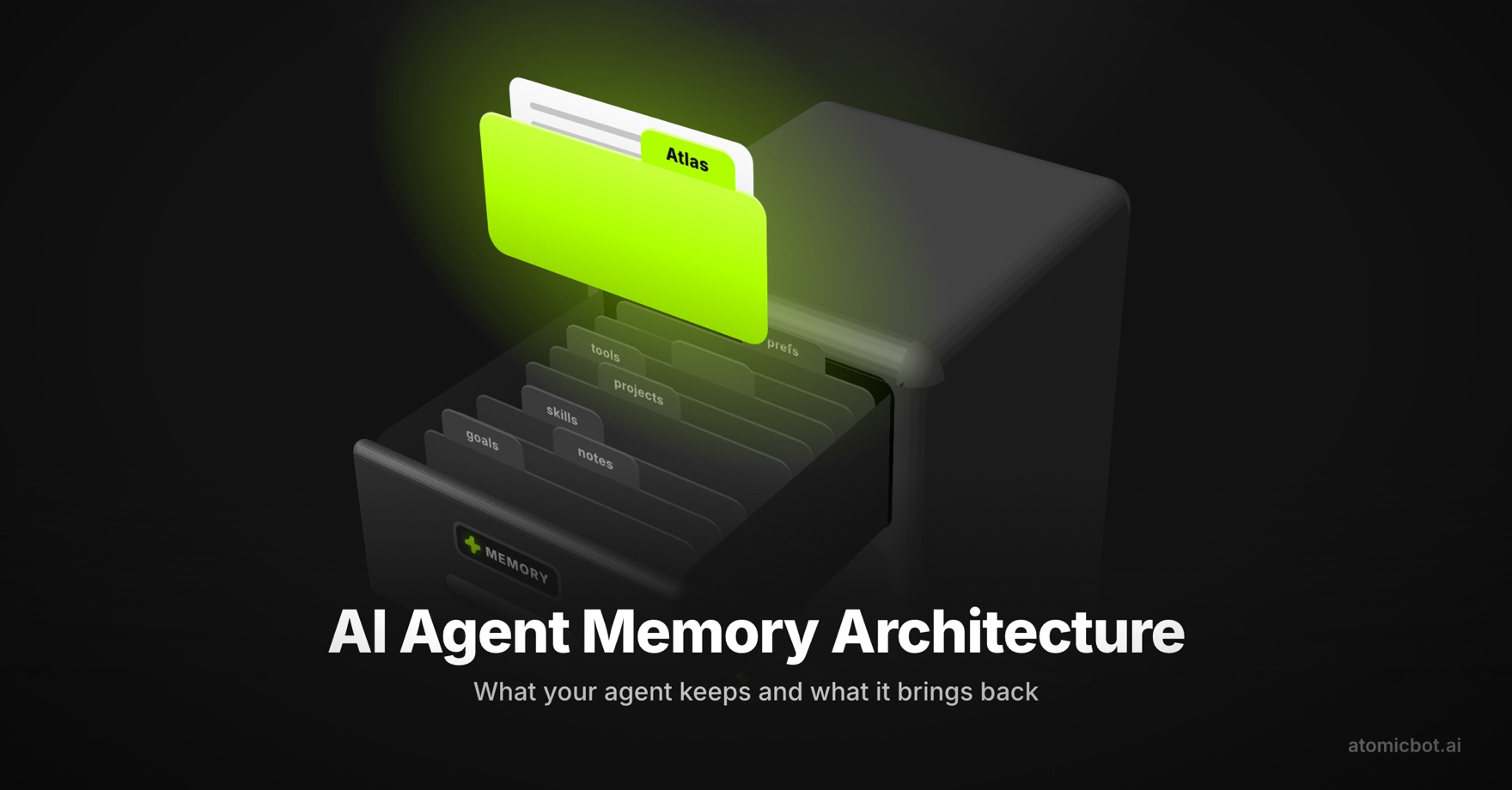
Hermes keeps two small files. MEMORY.md (about 2,200 characters) holds environment notes, conventions, and lessons it learned along the way. USER.md (about 1,375 characters) holds your preferences and how you like to be talked to.
Both load into the system prompt at session start. The agent edits them itself with a memory tool, and every entry gets scanned for prompt-injection patterns before it lands.
This is what helps it to be so personalized.
Personality – Hermes Agent soul
SOUL.md lives in ~/.hermes/ and occupies slot #1 of the system prompt — it is the agent's identity, not an add-on.
You can edit it to change tone, directness, how Hermes handles disagreement or uncertainty. Eleven-plus built-in personalities (concise, technical, teacher, noir, others) can be swapped in per session with /personality, while SOUL.md stays as the durable default. Project-specific instructions belong in AGENTS.md instead, so personality and project context don't bleed into each other.
Skills as procedural memory
There are about 90 out of the box skills for communication, search, managing your finances, doing your job – and 20+ messaging surfaces: Telegram, Discord, Slack, Google Chat, WhatsApp, Email, SMS, CLI itself and other platforms.
Wide Integrations
Hermes connects to any LLM provider (OpenRouter, Anthropic, OpenAI, Google, plus custom endpoints), and brings in external tools via MCP, using it as its tools.
It also handles browser automation, voice I/O, web search, and exposes an OpenAI-compatible API so any standard frontend can plug straight in.
This structure leads us to the rule: Hermes has everything to become independent, it just needs a small push.
Advice #4 for using Hermes Agent: set goals to reduce errors
Without a goal, Hermes cannot judge if the task is fully completed and you may find yourself repeating the same instructions over and over, checking every output. It may take you, for example, 20 interruptions for a 20-email backlog.
One of the users suggested a system of setting goals for Hermes:
“you give the agent a standing goal. after every turn, a judge model checks if it's complete.” – @shannholmberg
Instead of asking:
– hey, check my inbox and find unanswered emails. draft replies for the urgent onesTry setting an explicit goal:
– hey, here’s our goal: search my inbox for every email where someone asked a question or requested something and I never replied — list them by urgency, draft a short response for each, and don't stop until the backlog is cleared or 20 emails are handledThe second version gives the agent a finish line it can check against, so it keeps going until the work is done rather than stopping after the first pass.
Advice #5 for using Hermes Agent: manage your context window – don't dump every tool
This applies to both cloud and local setups. Cloud providers give huge discounts on cache hits: a repeated prompt prefix can be 10–50× cheaper than a fresh one. To benefit from that, the front of your prompt needs to stay byte‑identical across calls. Keep the system prompt, tool schemas, and persona stable, and put the changing user message at the end.
For Hermes inside Atomic Bot, that means treating each agent config as a stable prefix. Don’t rewrite the system prompt on every call or reshuffle the tool list unless you really have to, or you’ll keep breaking the cache. Run many tasks through the same agent definition so all those shared headers get repriced at cache‑hit rates instead of full cost.
On local runs, KV cache reuse is automatic in most engines, but only if you keep the session alive. If you’re calling Hermes from a script, run it as a long‑lived process and send multiple tasks through the same context, instead of spawning a new process for each job and throwing the cache away every time.
A practical setup checklist:
- Load skills per project, not globally: use AGENTS.md to scope tools to the current task.
- Compress tool outputs: if a tool returns 5K tokens of HTML, wrap it in a summarizer before it hits context.
- Set a turn budget. cap at 15–20 turns for normal tasks. If the agent hasn't finished, it's stuck in a loop and you want to know early.
- Watch for context bloat: old errors and resolved subtasks accumulate in
MEMORY.md.Prune monthly.
FAQ
What is the difference between Hermes Agent and OpenClaw?
OpenClaw executes the steps you give it and resists rewriting its own behavior, which makes it predictable. Hermes runs a self-improving core inside a deterministic control layer, so it learns your workflow over time, improvises, and handles open-ended tasks better. Pick OpenClaw for repeatable, well-defined jobs and Hermes for work that needs judgment.
Can I run Hermes Agent locally, and what hardware do I need?
Yes. A quantized Qwen3.5-9B runs on a single mid-range GPU with 8 to 12 GB of VRAM, enough for a terminal assistant or light research. For heavier coding and analysis, plan for a 24 GB card (RTX 3090/4090) running a 27B–35B model. One user reported running Hermes with gpt-oss on a 128 GB unified-memory machine for fully local, private operation.
Which LLM is cheapest for Hermes Agent?
DeepSeek V4 Flash is the value pick most users name: $0.30 per million input tokens on a cache miss and $0.03 on a cache hit. In a long /goal loop that lands around $0.05 to $0.10, against $1.50 to $2.00 for the same loop on Claude Sonnet 4.6.
How do I stop Hermes from burning through tokens?
Keep the front of your prompt byte-identical across calls so cache hits apply, scope skills per project with AGENTS.md instead of loading everything, compress large tool outputs before they hit context, cap tasks at 15 to 20 turns, and prune MEMORY.md monthly so old context stops getting repriced.
Do I need to code or manage servers to run a Hermes Agent?
No. Atomic Bot installs and runs Hermes for you and handles the model wiring, whether you point it at a cloud API or a local model. You download it, pick a setup, and you are running in a few minutes, then spend your effort on configuring the agent rather than on DevOps.
→ Run Hermes on Atomic Bot (macOS)
Final word
When you have a self‑improving agent that edits its own memory and writes its own skills, it’s tempting to throw everything at it: every tool, every task, the biggest model you can pay for. People who get steady value from Hermes do the opposite: start one task at a time, keep a focused set of skills and set a clear goal with a visible finish line. And they do it on the right model that is suitable for their needs and budget.
Hermes has a high ceiling: whether you reach it has less to do with the model or the hardware and more with how strict you are about how it runs. The agent will explore indefinitely; your job is to decide where the walls are.
And to avoid useless process of setting your Hermes, choosing the model, making sure everything works and runs through terminal. Atomic Bot exists to take the rest off your hands: setup, model wiring, local‑versus‑cloud routing, and messaging surfaces are handled for you, so the main variable left is how you operate the agent once it’s live. Get that part right, it is for free, and a modest, low‑cost model on your own machine can quietly out‑earn a frontier API you only poke at by hand