.svg)



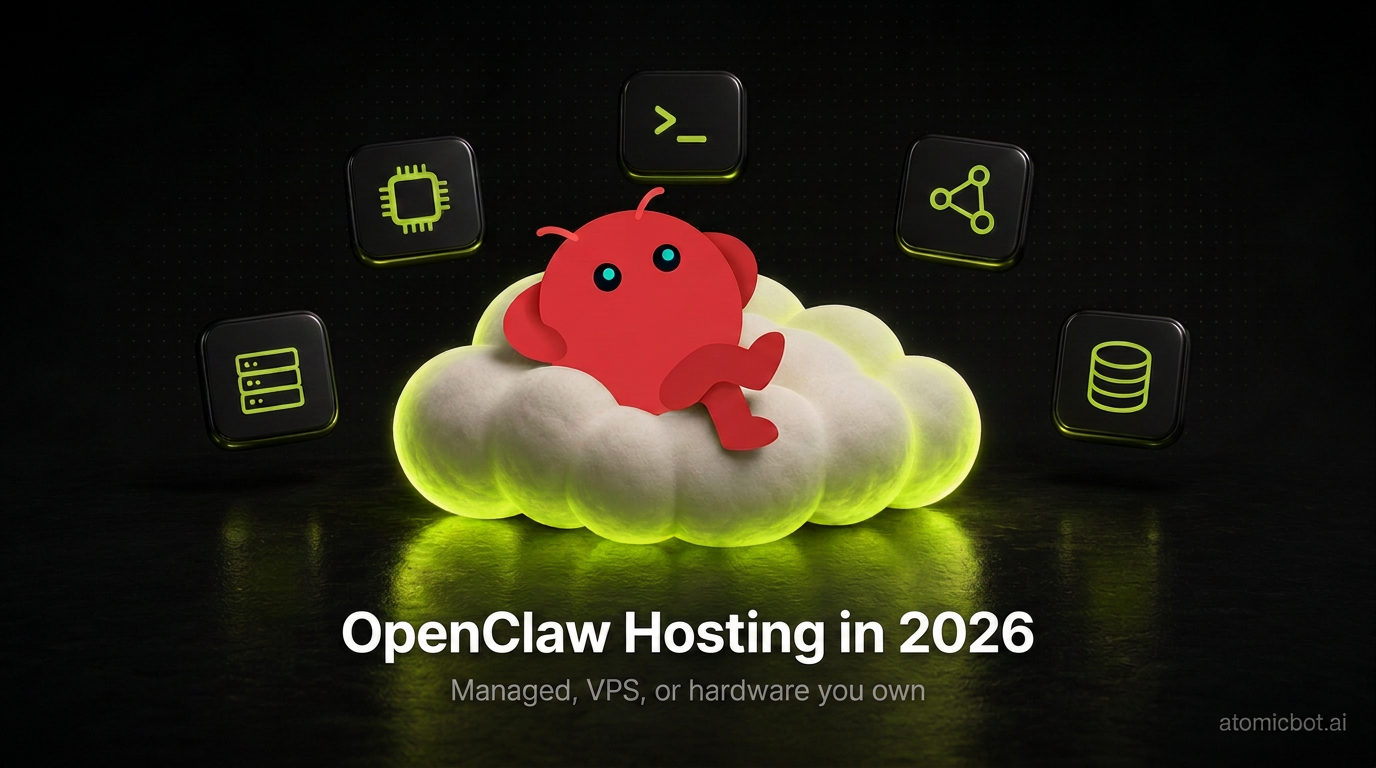
OpenClaw is a long-running agent, so it needs a machine that never turns off. Where that machine sits, and who looks after it, is what OpenClaw hosting comes down to, and this page walks through that choice.
There are three ways to do it: a managed platform, a VPS you administer, or hardware you already own. Specs won't separate them, since the documented minimum is 1 GB of RAM and every option in this comparison clears it. Prices and upkeep will: the cheapest offers are 24-month prepayments with a different price at renewal, and on two of the three routes the patching and the backups are yours. The quick answer is next; the numbers behind it take up the rest of the page.
🎯 Quick answer
The best OpenClaw hosting for most people is a managed plan: the platform keeps the agent alive, and no server ever lands on you. A VPS fits those who want root access and accept the upkeep that comes with it. If an always-on machine already sits in your house, self-hosting costs nothing beyond model usage.
- Managed. Atomic Bot runs OpenClaw for $19/month with no term: 4 vCPU, 8GB RAM, 80GB SSD, and Hermes, Codex and DeepSeek Harness under the same account. Hostinger sells managed OpenClaw at $5.99/month as a two-year prepayment that renews at $11.99 and publishes no specs.
- VPS. Contabo's Cloud VPS 4 gives the most hardware for the money: 4 vCPU and 8GB for about $6.40 a month. Hostinger's KVM 2 is $8.99 renewing at $14.99, Vultr is $10 with no term, DigitalOcean is the box OpenClaw's own walkthrough uses. All of them hand you root and the maintenance with it.
- Self-hosted. A Raspberry Pi or an old laptop clears the 1 GB minimum, and you pay for model usage only. The box has to stay awake, and the person who notices a crash is you.
Best OpenClaw hosting at a glance
What each OpenClaw hosting route means
The software is identical on all three routes: the Gateway you'd run on a $6 VPS is the same one a managed platform runs for you. What changes is who operates it.
Managed means the provider installs the Gateway, keeps it updated, restarts it after a crash and watches it in between. You get the agent in your messenger and a dashboard, and you never see a server. The trade is control: no root shell, and the environment is the provider's to shape, not yours.
A VPS means you rent the machine and operate it yourself. Root access lets you build whatever you want, and the same login makes the firewall, the updates, the backups and the restarts your job. Templates from Hostinger or Contabo shorten the install; they don't take over the operating.
Self-hosted means the machine is already yours, a Raspberry Pi or a Mac mini in the corner. Nobody to pay for hardware, and the whole VPS operating list lands on you, plus a job the rented routes don't have: keeping the box awake and online.
The full list of those jobs is in "The maintenance surface" below: six of them, and the route you pick decides how many are yours.
OpenClaw Docker and RAM: how much the Gateway needs
OpenClaw needs 1 GB of RAM to run and 2 GB to run comfortably.
OpenClaw's first-run FAQ puts the minimum at "1 vCPU, 1 GB RAM, ~500 MB disk" and recommends "1-2 vCPU, 2 GB+ RAM for headroom (logs, media, multiple channels)". That's in docs/help/faq-first-run.md.
The same file explains why the box stays small. The Gateway runs on your server; the models call out to cloud APIs. Your machine holds a Node process, SQLite state, a workspace directory and whatever tooling the agent reaches for.
Guides to OpenClaw's system requirements round up from there, and not consistently. Hostingstep puts the minimum at "2 GB RAM, 1 to 2 vCPU, 40 GB storage", which is the documentation's recommendation promoted to a floor, then recommends 4GB with more than 2 vCPU for production. Kilo.ai puts it at "a 2 vCPU / 2 GB RAM box", cites no source, and attributes the figures to "Reddit users who have actually deployed OpenClaw to a VPS."
The 4GB and 8GB floors trace to two workloads. The first is the Docker source build, and it applies only when you compile the image yourself. The prerequisites in docs/install/docker.md read: "At least 6 GB RAM for a local source image build; pre-built images avoid this build requirement." Build with less and it dies OOM-killed, exit 137.
The second workload is the browser. OpenClaw drives Chromium, and the same FAQ notes that "Node tools and browser automation can be resource hungry". The documentation attaches no number to that, so neither will we, but headless Chromium regularly outgrows a 1GB box, and that is where the 4GB advice comes from.
The browser tool page, docs/tools/browser, gives you a way around it: "If you run a node host on the machine that has your browser, OpenClaw can auto-route browser tool calls to that node without any extra browser config." It calls that the default path for remote gateways. The browser runs on your laptop, and the server never sees Chromium.
Docker is optional to begin with. The first line of the Docker page says so in bold: "Docker is optional." Install through the normal flow on a 1GB box and it runs, with swap. The documentation even ships an override for attempting a build under the safe minimum, with a warning attached: "That attempt may stall or fail."
1. Atomic Bot: managed OpenClaw hosting, billed monthly
Atomic Bot runs OpenClaw in the cloud from $19 a month, billed monthly with nothing to prepay.
Those figures are on the pricing page. The other managed OpenClaw cloud hosting plan in this comparison publishes none of them.
Hosted OpenClaw here means a dedicated instance, not a shared environment, and one account can run as many instances as you need. Sign in with Google, pick your agent, connect Telegram, WhatsApp, Discord, Slack or Signal, and it runs. From there the maintenance is ours, patching and restarts included.
One account also runs Hermes, Codex and DeepSeek Harness, the three agent harnesses closest to OpenClaw in what they do, side by side as separate instances. Hostinger's managed plan covers switching too, between OpenClaw, Hermes Agent and n8n, one app at a time. On a VPS changing your mind means another install and another thing to keep patched.
On price, a VPS undercuts us. Contabo's Cloud VPS 4 is the same 4 vCPU and 8GB for roughly $6.40 with more disk, about a third of what we charge. The difference buys the whole of "The maintenance surface" below: the hardening before install, the Node floors, backups you've tested, and something watching that isn't you. Priced against the other managed plans the gap is small: Hostinger's managed tier renews at $11.99 and its KVM 2 at $14.99, so from month 25 it's four to seven dollars a month.
The $5 in monthly credits caps what's included. Spend past it and model usage bills separately, exactly as it would on a VPS, where you pay the full API cost on top of the server anyway.
Drawbacks: no managed platform hands you a root shell, ours included. If you want to SSH into the box, install your own packages, pick the exact datacenter, or wire up your own monitoring, rent a VPS instead, and the same applies if a compliance regime requires hardware you physically control. Our cheapest plan is $19, which is more than Hostinger's first two years.
Best for: people who want an agent running today, with no term to think about and no server to look after.
2. Hostinger OpenClaw: the lowest price, on a two-year term
Hostinger OpenClaw hosting is two different products sold from one page: a managed plan and a VPS template. Both are in OpenClaw's official documentation, at docs/install/hostinger.md, alongside DigitalOcean and Oracle.
The managed plan now sells as "AI automation apps": $5.99 a month, marked 73% off a $21.99 list price, on a two-year term paid upfront, with 30 days money-back, and one app under the plan at a time, OpenClaw, Hermes Agent or n8n. Hostinger handles the infrastructure and the updates, which its support page describes as covering "all backend security features and automatic software updates". The setup wizard connects WhatsApp by QR code or Telegram by bot token, and you can buy nexos.ai credits in the dashboard rather than opening accounts with Anthropic or OpenAI. For someone who's never touched a terminal that's a short path to a running agent, and at $5.99 it's the cheapest managed OpenClaw hosting in this comparison.
The page publishes no specifications at all, not the vCPU count and not the memory, where every VPS further down this page tells you exactly what you're renting. There's also no root access, which Hostinger says itself in its support documentation: "If you require full root access or manual server control, we recommend exploring our OpenClaw VPS options", and points you to its VPS install guide.
Twenty-four months at $5.99 is $143.76 at checkout. The two years after that are $287.76.
The VPS half is a server you administer through Docker Manager in hPanel, with a one-click OpenClaw template. KVM 1 already carries four times the documented minimum, and KVM 2 doubles its hardware for $2.50 more a month. Both terms run two years, and every plan renews well above its intro price.
You get the template and the credit integration, and with them a root login, so the logs, the restarts, the updates and the firewall are yours. OpenClaw's own guide is specific about the updates: you press Update in Docker Manager to pull the latest image. Nobody presses it for you.
Drawbacks: two years upfront on both products, and renewals well above the intro price on every plan. The managed tier adds no published specs and no root.
Best for: the cheapest managed entry here, if two years is a commitment you're comfortable making today.
3. OpenClaw VPS hosting: rent the box and run it yourself
Two VPS providers ship one-click OpenClaw templates: Hostinger through Docker Manager, and Contabo, which added a free OpenClaw add-on to its Customer Control Panel. Reinstall the server with OpenClaw picked under Application Installation and it boots ready, at no extra cost.
The rest of the OpenClaw VPS hosting market sells plain machines. DigitalOcean is the box OpenClaw's own walkthrough is written for, down to the size, with a swap step written into the guide, and a walkthrough that matches your box exactly matters most on a first install. Vultr bills monthly with no term. Hetzner's cheapest line isn't orderable at all right now.
Oracle sits outside the table because it costs nothing. Always Free is permanent rather than a trial, and Oracle's own limits page puts it at 2 OCPUs and 12 GB of memory with 200 GB of block storage, several times the documented minimum. It used to be twice that: Oracle halved the Ampere A1 allocation from 4 OCPU and 24GB on 15 June 2026, a change InfoQ reported Oracle never announced, and began terminating instances over the new limit on 18 August. OpenClaw's own docs/install/oracle.md still reads "up to 4 OCPU, 24 GB RAM, 200 GB storage". The same page warns about capacity: "If instance creation fails with 'Out of capacity', try a different availability domain or retry later. Free tier capacity is limited."
We compared the VPS market in detail in Best VPS for OpenClaw Hosting in 2026, including the ones that look cheaper than they are.
Drawbacks: what you rent is the shell, and everything under "The maintenance surface" below comes with it. The cheapest headline prices here are 24-month terms as well.
Best for: people who want root access at the lowest hardware price per month.
4. OpenClaw self-hosted: hardware you already own
Running OpenClaw self-hosted means the Gateway lives on hardware you already own, and the only bill is model spend. A laptop clears the documented minimum without thinking, and OpenClaw's own hardware table grades a 2GB Raspberry Pi 4 as "OK, add swap".
You're trading availability and attention.
A machine under your desk sleeps, gets carried to a cafe, loses Wi-Fi, and reboots when the power flickers. An agent whose whole value is being awake at 4am is a poor fit for a device that follows you around.
Running it on your own hardware doesn't mean losing access from your phone. OpenClaw pairs nodes to a Gateway, so the Gateway can sit on a small always-on box while your Mac or phone supplies the screen, the camera, the browser and command execution.
Drawbacks: the box has to stay awake, and updates, backups, restarts and the thing that notices a crash are all yours.
Best for: people who want the box in the room, and who are around to notice when it stops.
The maintenance surface nobody puts on the invoice
Six jobs come with a self-run install. Every one below is documented by OpenClaw itself, and on a managed plan every one is the provider's.
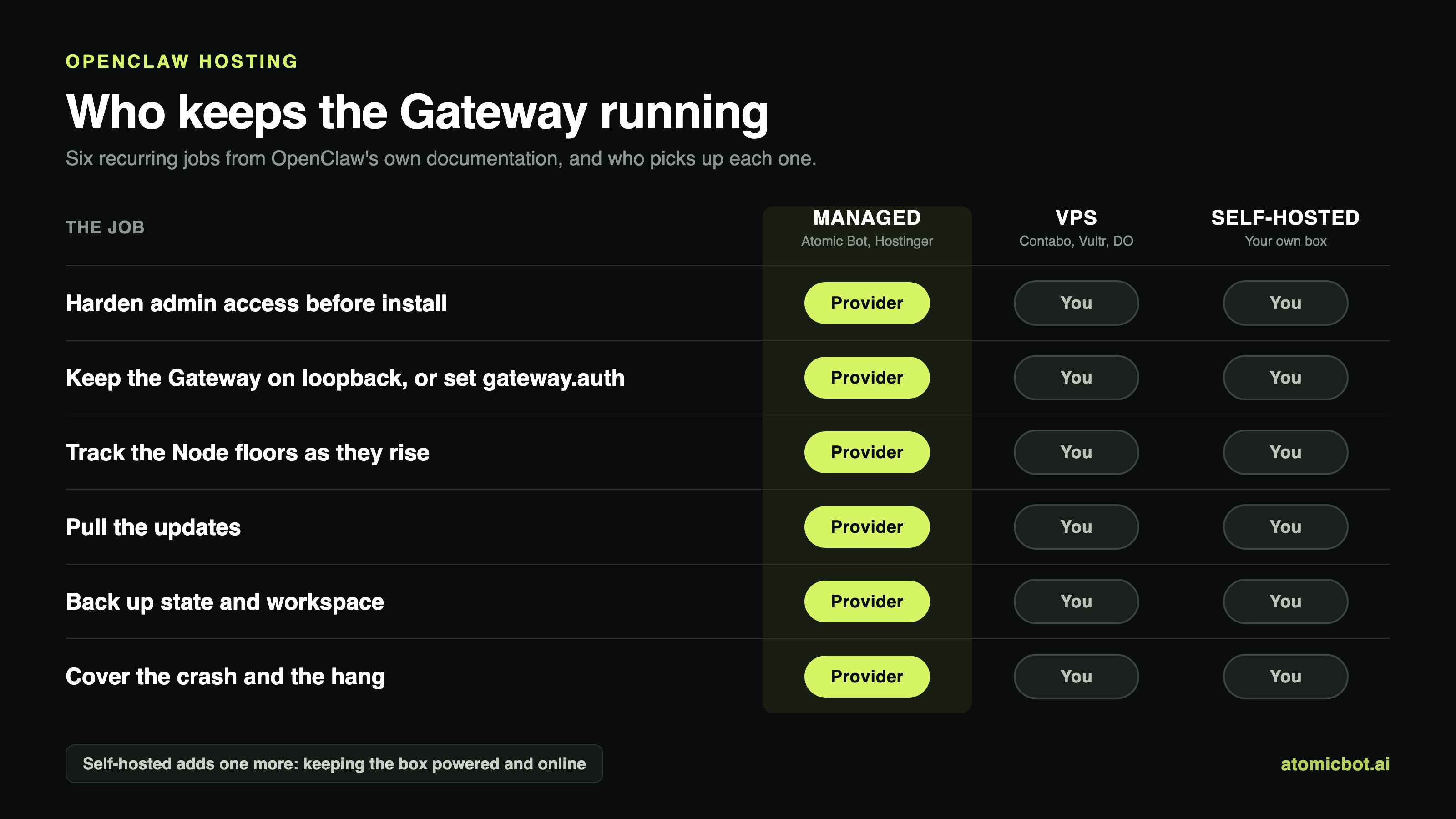
- Harden admin access, before anything else. OpenClaw's Linux server page has a section titled "Harden admin access first", and it means first: install Tailscale, join the box to your tailnet, verify a second SSH session over the Tailscale address, then restrict public SSH.
- Keep the Gateway on loopback, or give it a password. The secure default is loopback, reached over an SSH tunnel or Tailscale Serve. Bind it to
lanortailnetinstead and the Gateway requires a shared secret,gateway.auth.tokenorgateway.auth.password, unless auth is delegated to a trusted proxy. Skipping that is how an agent with your logins ends up on the open internet. - Track the Node floors. OpenClaw wants Node 22.22.3+, 24.15+ or 25.9+, with Node 26 recommended, and pnpm as the package manager. Those floors rise.
- Pull the updates yourself. On the Hostinger template you press Update in Docker Manager to pull the latest image; on a source install you follow the releases. Nobody presses it for you.
- Back up state and workspace. The Linux server page puts it plainly: "back up the state + workspace regularly". The copies need testing before you rely on them.
- Cover both the crash and the hang.
restart: unless-stoppedbrings the Gateway back every time the process dies, and OpenClaw's Docker page leaves it out of the examples, so add it. It won't help when the process is alive and wedged. The image carries a built-inHEALTHCHECKagainst/healthz, and the docs are precise about who acts on it: "repeated failures mark the containerunhealthyso orchestrators can restart or replace it." Orchestrators, meaning Kubernetes or a supervisor you run yourself. A third endpoint,/readyz, covers "deep, channel-aware readiness", the check that reports Telegram stopped answering while the process stayed up.
Whether that counts as a cost depends on whether your hours have a price. The same list is what a managed plan charges for, and between Hostinger's $14.99 renewal and our $19 that comes to four dollars a month.
How we compared these OpenClaw hosting options
We didn't run a bake-off. What we did:
Read OpenClaw's repository instead of other people's summaries. Every requirement quoted above has a file path attached: 1GB to run and 2GB+ for headroom, with 6GB needed only to build the image from source. The 4GB and 8GB floors that sort this category aren't in the pages that document requirements.
Prices came off vendor pages, with the renewal line read every time, because introductory pricing here buys 24 months at one rate and then charges another. Hostingstep quotes KVM 2 at $5.49 and Kilo.ai quotes $6.99, where Hostinger's own page now shows $8.99 for that same plan. The promotion moved between one guide going up and the next.
Each vendor was also checked for what it publishes about the machine, and for whether the plan is orderable at all. Specs separated the managed options more sharply than price did, and Kilo.ai still points readers at a Hetzner CX22 for about $4.99 while Hetzner's Cost-Optimized line reads "Currently not available" on its own cloud page.
Model costs we could price: Hostinger lists 3.3 nexos.ai credits per million input tokens for Claude Sonnet 4.5 and 16.5 per million output, and nexos.ai's billing documentation puts a credit at one euro. The gap we couldn't close is the machine itself. Hostinger publishes no vCPU, RAM or storage figure for its managed tier, neither on the product page nor in the support article, and neither page says whether the "up to 100" credits offered at checkout recur.
How to choose: three questions
Work through them in order. Each one removes a route.
- Is there already a machine in your house that never sleeps? If there is, self-hosting costs model spend and nothing else, and the six jobs above are yours, including the 4am alert. If there isn't, you're renting one.
- Do you need root on it? Root means a VPS, with the install, the firewall, the backups and the restarts attached; Hostinger and Contabo both ship one-click OpenClaw templates that shorten the first of those. No root means a cloud plan, Atomic Bot or Hostinger, where those jobs are the provider's.
- How long are you willing to be locked in? Hostinger and Contabo want 24 months upfront and reprice at renewal. Atomic Bot, Vultr and DigitalOcean bill by the month: more per month, and nothing once you leave.
FAQ
Get started
Self-run installs come with the six jobs above, from the Tailscale step before installation to the health probes wired to something that acts on them. Prepaid plans add a renewal price two years out that lands well above the one you agreed to.
Atomic Bot runs OpenClaw in the cloud, so none of those are yours. Base is $19 a month for 4 vCPU, 8GB RAM and 80GB SSD, billed monthly, with the specs on the pricing page.
Go to atomicbot.ai, sign in with Google, pick OpenClaw, Hermes, Codex or DeepSeek Harness, and connect a messenger. No term, cancel any month.