.svg)


🎯 Quick Answer
AI agents are software that can plan, act, and complete tasks on your behalf. In 2026, they're handling everything from sorting your email to managing enterprise supply chains.
Gartner forecasts that 40% of enterprise applications will embed task-specific AI agents by 2026, up from less than 5% in 2025. According to PwC, 79% of organizations now use AI agents in some capacity, and among adopters, two-thirds report measurable productivity gains.
This guide breaks down the most impactful AI agent use cases — from billion-dollar enterprise deployments to personal assistants running on your laptop. If you're wondering where AI agents actually deliver value (and where they're still falling short), this is the article for you.
🧠 What Is an AI Agent, Exactly?
Before we talk use cases, let's get the definition right.
An AI agent is a system built on top of a large language model (LLM) that can autonomously plan a sequence of steps, use external tools, and execute real-world actions to accomplish a goal.
The key difference from a chatbot: you don't give an agent a prompt. You give it a job. It figures out the steps, uses whatever tools are available, and reports back when it's done.
🏢 AI Agent Use Cases for Enterprises
These are the domains where large organizations are deploying AI agents at scale — often as part of platforms from IBM, Oracle, Salesforce, and Microsoft.
- Customer Service
This is where most companies start. AI agents handle incoming support tickets, route complex issues to the right human representative, and resolve routine requests without any human involvement at all.
What makes agents different from the chatbots of 2023: they remember previous conversations, pull context from your CRM in real-time, and use sentiment analysis to detect when a customer is getting frustrated — escalating before things go sideways.
- Human Resources
HR might be the sleeper hit of enterprise AI agents. The work is repetitive, policy-heavy, and involves answering the same questions from thousands of employees.
AI agents already automate over 90% of routine tasks like vacation requests and pay statement inquiries.
Beyond FAQ handling, HR agents now screen resumes, rank candidates, schedule interviews, generate personalized onboarding plans, and manage leave requests — all while maintaining compliance with internal policies.
- Sales
Sales teams drown in CRM data, lead lists, and follow-up reminders. AI agents embed directly into tools like Salesforce and HubSpot to score leads, prioritize follow-ups, draft personalized outreach, and transcribe sales calls.
According to McKinsey, companies implementing AI agent technologies report revenue increases between 3% and 15%, along with a 10% to 20% boost in sales ROI.
The real power here is scale: an agent can nurture hundreds of leads simultaneously through personalized email sequences, something no human sales team can match.
- Supply Chain and Procurement
Supply chains generate massive volumes of data — inventory levels, shipping timelines, vendor performance, weather disruptions, demand forecasts. AI agents monitor all of it continuously and take action when something drifts off course.
On the procurement side, agents evaluate suppliers based on cost, sustainability metrics, and risk profiles — then automate contracting and purchase ordering.
- Finance and Banking
Financial services love AI agents because the work is data-heavy, rules-based, and high-volume — exactly the profile where agents outperform humans.
Agents perform continuous risk audits, detect unusual transaction patterns, assist with loan underwriting, and provide AI-driven financial advisory services — personalizing investment strategies based on market conditions and individual risk tolerance.
- Marketing
Marketing departments already used automation tools, but agentic AI takes it further by closing the loop between data analysis and action. Agents can independently manage campaigns, create customer personas from behavioral data, personalize content, and optimize ad spend in real-time.
Where agents add the most value: using predictive analytics to identify the best messaging strategies and timing for a given audience, then passing that intelligence to other agents that actually schedule and send the communications. No human in the middle.
- Healthcare
Hospitals are overloaded with administrative tasks — billing, scheduling, prior authorizations, resource allocation. AI agents are making a dent in all of these.
On the clinical side, agents monitor patient vitals in real-time, flag potential health risks before they escalate, and assist with diagnostics by cross-referencing symptoms against massive datasets. The result is more time for doctors to focus on direct patient care rather than paperwork.
- IT Operations and Cybersecurity
IT agents autonomously monitor infrastructure, detect anomalies, and deploy fixes — sometimes before a human even notices the problem. In cybersecurity, agents perform real-time threat detection and take proactive measures to prevent attacks.
👤 Personal Use Cases
Enterprise deployments get the headlines, but some of the most interesting AI agent work is happening at the individual level — particularly with open-source tools like OpenClaw.
OpenClaw is an open-source personal AI agent that runs on your own machine, connects to your messaging apps, and uses tools like browser automation, file management, and API calls to accomplish real tasks. The project has become one of the fastest-growing open-source efforts in history, exploding from 9,000 to over 300,000 GitHub stars in a matter of days.
Here's what people are actually using it for:
- Email Triage and Response
Instead of scrolling through 100 emails every morning, users teach their OpenClaw agent which emails matter, which can be archived, and which need a response. The agent processes your inbox, drafts replies in your voice, and delivers a summary brief. You approve or edit — the agent handles the rest.
- Personal Scheduling and Coordination
One user built an agent that coordinates with caregivers, orders groceries, and delivers morning briefings — all through iMessage.
Another configured their agent to find flights, run check-in automatically, and locate a window seat while they were driving.
The agent connects to your calendar, your contacts, and your messaging apps. You tell it what you need. It figures out the logistics.
- Development and Code Deployment
Developers use OpenClaw to send coding tasks from their phone via Telegram. Developers have their agents review pull requests, debug failed deployments, and generate test suites — all without opening a laptop.
- Smart Home Automation
Users have set up OpenClaw to control smart home devices with natural language commands, connect health monitoring wearables for daily insights, and even discover and build control skills for devices like HomePods automatically.
- Content Creation and Distribution
Writers and marketers use agents to repurpose a published article across platforms — generating social media posts, creating images, scheduling everything, engaging with comments, and tracking performance. The human creates. The agent distributes.
- Research and Data Gathering
Agents crawl Hacker News, Reddit, and industry publications based on your interests and deliver curated summaries.
- Financial Tracking
Users have agents that track spending, forward receipts, convert them into structured expense reports, and manage personal budgets — turning a tedious weekly task into something that happens in the background continuously.
🚀 Getting Started with Your Own AI Agent
If you're reading this and thinking "I want one" — the fastest way to get an AI agent running is with OpenClaw through Atomic Bot.
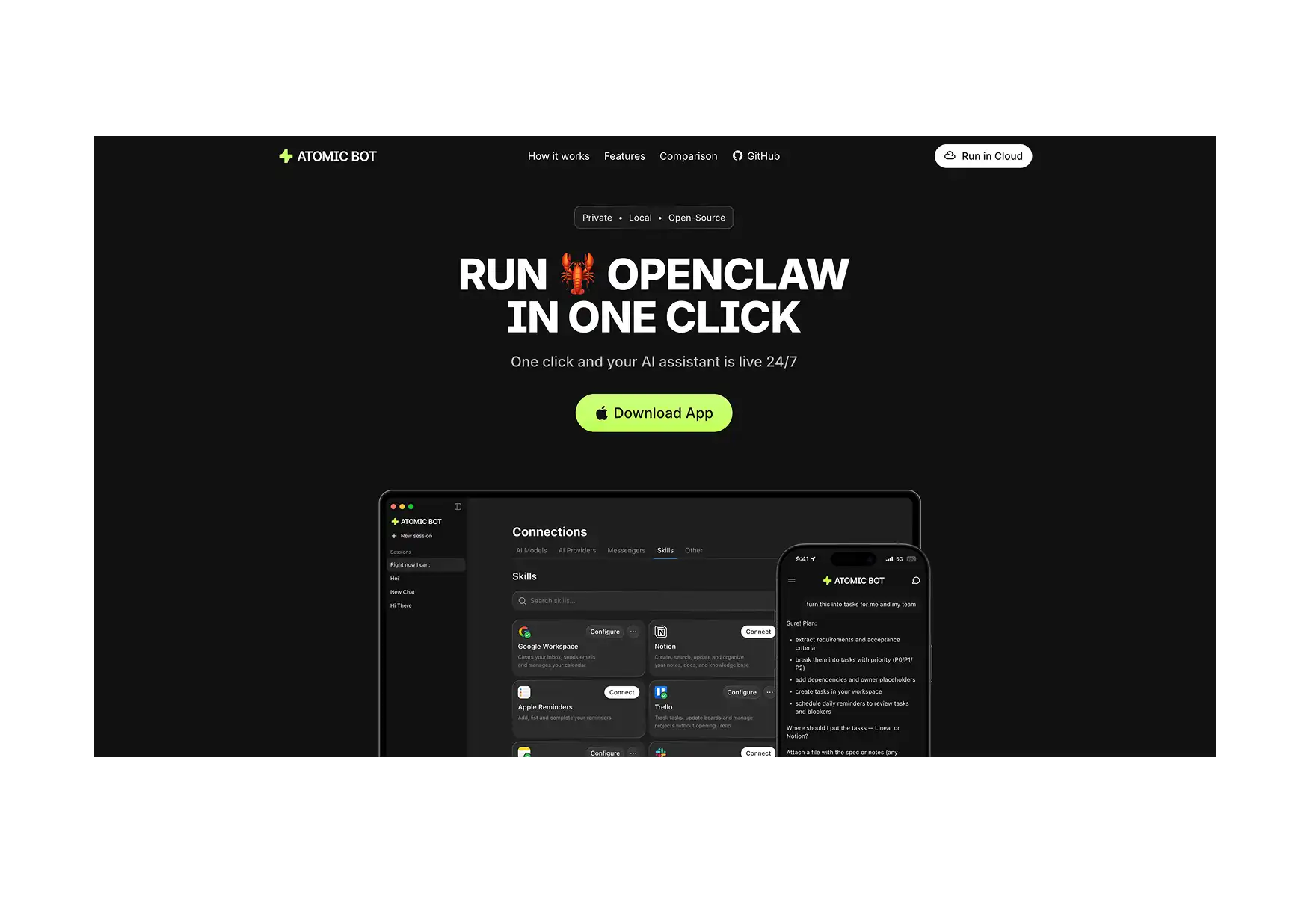
Atomic Bot is a desktop app (macOS and Windows) that installs OpenClaw with one click. No terminal, no npm, no config files. You download the app, click install, pick your AI provider, and start chatting with your agent through Telegram, WhatsApp, or any other supported channel.
What you get out of the box:
- OpenClaw installed and configured
- Pre-built skills for Gmail, Calendar, Files, and Browser
- Messaging channel integration (Telegram, WhatsApp, Discord, and more)
- Memory system that lets your agent learn your preferences over time
- Automatic updates so you never fall behind
The whole process takes about 2 minutes. For a step-by-step walkthrough, check out our guide on how to set up OpenClaw.
If you'd rather go the manual route via CLI, that's an option too — but expect 30-60 minutes of terminal work and config file editing. Our setup guide covers both paths.
🔮 Where AI Agents Are Headed
IBM's Distinguished Engineer Chris Hay describes the emergence of "super agents" — multi-agent dashboards where you kick off tasks from one place and agents operate across environments like your browser, editor, and inbox without you managing them separately.
In the most optimistic scenario, Gartner projects that agentic AI could generate nearly 30% of enterprise application software revenue by 2035 — surpassing $450 billion.
But the more immediate trend is practical: agents moving from isolated experiments to coordinated systems.
The companies and individuals pulling ahead in 2026 aren't the ones with the most sophisticated AI — they're the ones deploying agents into real workflows and measuring results.
🤔 Are AI Agents Ready for Everyone?
Mostly, yes — with caveats.
For enterprises, the technology is mature enough for production in customer service, HR, IT operations, and sales.
The challenge isn't capability; it's integration, governance, and measuring ROI. 87% of IT leaders rated interoperability as either "very important" or "crucial" to the successful adoption of agentic AI. If your agent can't connect to your existing systems, it doesn't matter how smart it is.
For individuals, tools like OpenClaw make personal AI agents accessible to anyone willing to invest a little time in setup.
And with Atomic Bot removing the technical barrier entirely, "willing to invest time" now means about two minutes.
The question isn't whether AI agents work. It's whether you've identified the right job to give them.
❓ FAQ
What's the difference between an AI agent and a chatbot?
A chatbot responds to prompts one at a time based on predefined scripts or a single LLM call. An AI agent plans multi-step workflows, uses external tools (browser, APIs, file systems), retains memory across conversations, and takes autonomous action to complete a goal.
Do I need to be a developer to use an AI agent?
No. Atomic Bot lets you install and run OpenClaw without any technical knowledge. You interact with your agent through familiar messaging apps like Telegram or WhatsApp.
How much does it cost to run a personal AI agent?
OpenClaw itself is free and open-source. You pay for the AI model you connect it to — typically through API keys from Anthropic, OpenAI, or other providers. Most personal use cases cost between $5-30/month depending on usage volume.
Can AI agents replace human workers?
In practice, agents are best at augmenting human work, not replacing it. They excel at repetitive, data-heavy tasks that free people up for work requiring judgment, creativity, and empathy. The most effective deployments pair agents with human oversight.