.svg)


🎯 Quick Answer
OpenClaw is an open-source AI agent that runs on your machine and connects to your tools — email, calendar, files, messaging apps, code editors, and more.
Personal AI assistants are still very new, so the most common question in the OpenClaw Discord is about what it can do and what are some examples of its use cases.
And white there probably are thousands of applications for personal AI, this article walks you through 15 most powerful ways to use OpenClaw with specific examples — copy them, use them for inspiration, and automate your work and life.
Before we start: most of the following use cases assume OpenClaw is already installed and running.
If it isn't, Atomic Bot is the fastest way to get there — a one-click macOS and Windows installer that handles the setup, pre-loads the most common skills, and connects your messaging app in under two minutes.
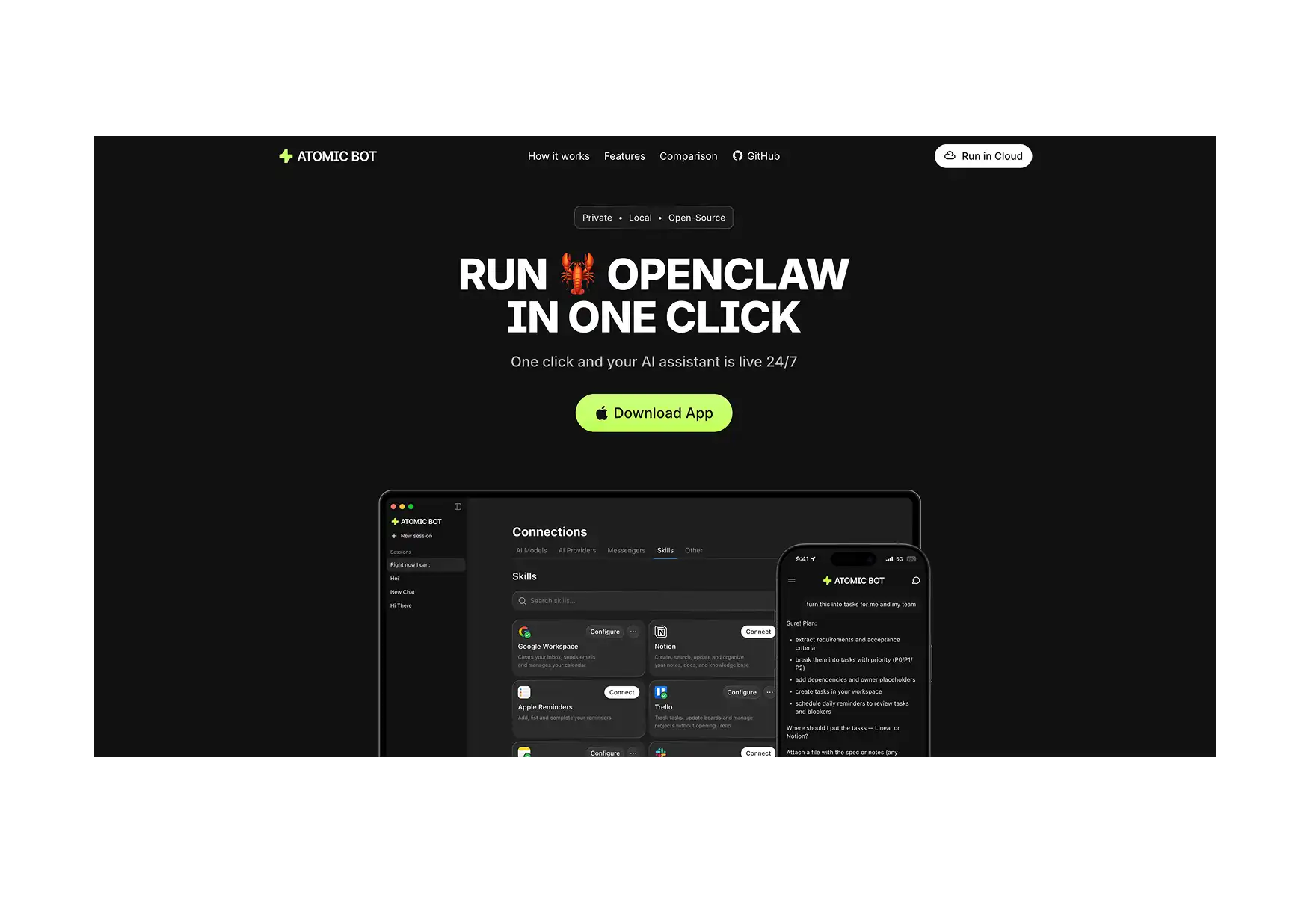
The use cases below work out of the box once it's running.
1. 📬 Morning Briefing
OpenClaw can pull information from anywhere: your Google Calendar, a weather site, news, then send a formatted summary to Telegram or WhatsApp at a set time each morning.
The most useful part about this use case is that the agent knows your schedule and can filter the brief accordingly.
Most users keep the output under 150 words. The brief arrives before they open their phone.
2. 📧 Email Inbox Management
OpenClaw connects to Gmail, scans incoming messages, and categorizes them by urgency. It drafts replies for your review, handles unsubscribes, and archives anything that doesn't need attention.
A typical output looks like this: three messages need a response today, seven are informational, twelve promotional emails are safe to archive.
Several users report clearing thousands of unread emails by letting the agent run overnight. The agent identifies patterns in sender history and subject lines to make these calls, not just keyword matching.
For teams, start with a limited scope — one label or folder — before granting access to the full inbox.
3. 📅 Calendar and Task Management
OpenClaw integrates with Google Calendar and project tools like Linear to create tasks from chat messages, schedule meetings, and surface daily priorities.
One documented setup has the agent auto-generate daily tasks from longer-term goals and post them to a Kanban board it manages independently. No human triggers required.
It also logs its own completed work. At the end of the day, the board shows what you did alongside what the agent handled.
4. 💻 Developer Workflow Automation
Developers use OpenClaw to manage their coding loop from anywhere. It can kick off a Codex or Claude Code session, run tests, capture errors from Sentry webhooks, fix them autonomously, and open a pull request — all triggered from a text message.
Several developers report reviewing and merging PRs entirely through chat while away from their desks.
One widely shared example: an agent wrote its own Spotify release tracker, installed it as a skill, and scheduled it to run weekly. The user wrote no code.
For teams running continuous testing, OpenClaw functions like a developer on permanent standby.
5. 🔍 Research and Knowledge Base
OpenClaw searches the web, reads pages, extracts relevant content, and writes structured summaries to a notes app or local file. Each run builds on the last.
The common personal setup: drop URLs, articles, or quick thoughts into chat throughout the day. The agent indexes them and makes them searchable in plain language. "Find that thing I mentioned about negotiation tactics" returns the right note.
For business use, users run weekly competitive research prompts. The agent checks competitor content, identifies gaps, and produces a brief ready for editing — not a wall of raw search results.
6. 📝 Content Production Pipeline
Creators run multi-agent pipelines where each agent handles one stage: one researches trending topics, one writes the script, one handles image generation. Each stage receives the output from the last without manual coordination.
The pipeline runs on a schedule or on demand. The output arrives ready for review, not for reconstruction.
Users running this weekly report that the bottleneck shifts from having time to research to having time to review. The agent handles the volume.
7. 🔒 Private Document Assistant
When paired with a local model like Ollama, OpenClaw reads, summarizes, and answers questions about files on your machine without sending anything to an external service.
Upload contracts, financial records, or proprietary research. Ask questions in plain language. Get answers in chat. Everything stays on hardware you control.
This is the setup for legal professionals, financial teams, and anyone where external API access is not an option. The workflow feels identical to a hosted AI tool; the difference is where the data goes.
8. 🏢 Customer Inbox Automation
For small businesses without a support team, OpenClaw connects to WhatsApp, Instagram, Gmail, and other channels through an API gateway skill and unifies them into a single AI-managed inbox.
The agent handles common questions, drafts replies to complex ones for human review, and flags anything that needs escalation.
It runs 24/7. Customers get responses outside business hours without anyone monitoring the inbox.
9. 🌐 Web Scraping and Browser Automation
OpenClaw has native browser control built on the Chrome DevTools Protocol. It navigates pages, fills forms, extracts structured data, and handles authentication flows through a dedicated Chromium instance isolated from your personal browser.
Practical uses include checking flight status and triggering automatic check-in, pulling competitor pricing on a schedule, and extracting data from sites with no API.
Because it communicates directly with the browser engine rather than simulating visual clicks, it is faster and more reliable than screenshot-based tools.
Limit this to internal tools and dashboards you control. Public websites can contain prompt injection attempts that may cause the agent to take unintended actions.
10. 📊 Financial Monitoring and Alerts
Users have built setups that track earnings reports, calculate position sizes, apply stop-loss rules, and send push notifications when predefined thresholds are crossed — all running continuously without manual check-ins.
One documented example: a stock analyst agent returns a momentum score, RSI, EMA alignment, and bull/bear case for any ticker on request — essentially an instant equity briefing delivered through Telegram.
The weekly version is simpler: the agent prepares earnings briefings before major reports and alerts you when positions need review.
These configurations require careful setup. The agent logs every action it takes, which makes auditing straightforward.
11. 🏠 Shared Household Automation
OpenClaw monitors a household WhatsApp or Telegram group for mentions of groceries, appointments, or tasks, and acts on them automatically.
Someone texts "we need milk." OpenClaw adds it to the shared list. A family member mentions a dentist appointment. It appears on the shared calendar. Delivery confirmations get parsed and tracked.
The person sending the message doesn't change their behavior. The automation happens in the background. For households that already coordinate through group chats, this converts passive messages into organized records.
12. 🖥️ Server Monitoring and Alerts
OpenClaw monitors disk usage, CPU load, and memory on a schedule and sends alerts when thresholds are crossed — before services go down, not after.
You can configure different limits for production and development environments. Production systems typically run tighter thresholds.
For VPS users running long-lived automations or databases, this replaces manual spot-checks. The agent monitors continuously; you only hear from it when something needs attention.
13. 💪 Health Data Integration
OpenClaw connects to health APIs like WHOOP, pulls daily sleep, recovery, and activity data, and delivers a summary in the same chat thread where you manage everything else.
The more useful setups cross-reference health data with calendar load. If your recovery score is low and the day is heavily scheduled, the agent flags the conflict and suggests adjustments.
Opening a separate app to check health stats is a friction point most people skip. Having the data surface automatically in a daily workflow closes that gap.
14. 🤝 Multi-Agent Coordination
Rather than one agent handling everything, you deploy multiple specialized agents — each with its own memory, workspace, model, and scheduled tasks — that coordinate work and share context through a central system.
One solo founder documented a four-agent setup: strategy, development, marketing, and business. Each uses a different model suited to its domain. They share high-level project memory but maintain separate context for their own work. The whole system is accessible through a single Telegram chat and runs 24/7 on a VPS.
This shifts the frame from "personal assistant" to something closer to a small, always-on team.
15. 🛠️ Autonomous Skill Creation
OpenClaw can extend its own capabilities without you writing code. Describe what you need, point it at documentation, and it generates a new skill, installs it, and makes it available immediately.
The community registry holds over 1,700 pre-built skills. The agent checks there before building something new, so it only writes code when an existing skill doesn't cover the case.
For developers, this means OpenClaw adapts to project-specific needs in minutes. For non-developers, the tool grows with you without requiring technical intervention every time your needs change.
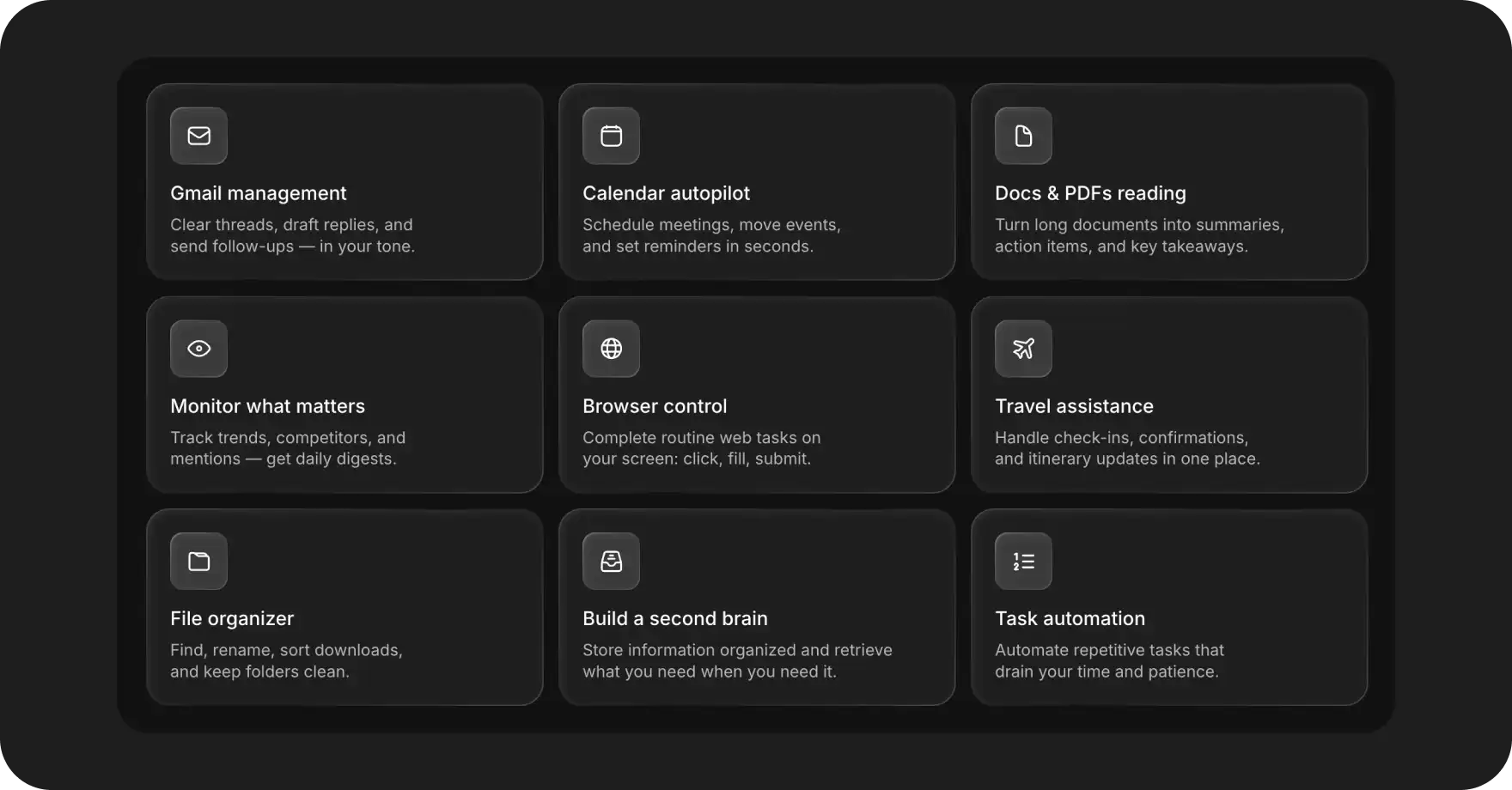
📊 OpenClaw Use Cases at a Glance
🔑 What These Use Cases Have in Common
Looking across all 15 setups, a pattern emerges: OpenClaw works best as a connective layer between tools that don't talk to each other natively.
For example, usually your calendar doesn't know anything about your recovery score, and there’s no easy way to connect them (you could, in theory, do this with Zapier, but it’s difficult and finicky).
OpenClaw, on the other hand, sits in the middle and handles the coordination that would otherwise fall on you — which makes it perfect for coordinating information flow from multiple apps.
The second pattern is that the most useful automations are the ones you'd skip entirely if they required manual effort — like a morning briefing, which most people probably rarely assemble because we can vaguely imagine it in our heads.
❓ FAQ
What are the most common OpenClaw use cases?
Email and calendar management, morning briefings, and developer workflow automation are the three most documented categories. Among non-developers, inbox triage and scheduled daily summaries are the typical starting points. Among developers, autonomous coding loops and CI/CD monitoring are most common.
What can OpenClaw do that a regular AI chatbot can't?
A chatbot responds to one prompt at a time and has no access to your tools, files, or accounts. OpenClaw executes multi-step jobs across connected apps — reading your email, updating a calendar, running a shell command, committing to GitHub — without you prompting each step manually. The difference is between answering a question and completing a task.
What are some real OpenClaw AI agent use cases for non-developers?
Morning briefings sent to Telegram, Gmail inbox triage, shared household shopping lists built from WhatsApp messages, weekly meal planning in Notion, and package tracking from email confirmations. None of these require writing code to configure once the agent is installed.
What are the typical use cases for OpenClaw in a business context?
The following are the most commonly documented community use cases of OpenClaw AI:
- Customer inbox automation across WhatsApp
- Instagram, and Gmail, client onboarding workflows
- Weekly SEO and competitor research pipelines
- KPI snapshots posted to Slack on a schedule
- Data extraction from documents into spreadsheets.
What are the limitations of OpenClaw?
Tasks that require open-ended human judgment, nuanced interpersonal communication, or real-time decision-making where the instructions can't be defined in advance.
It also requires careful configuration before connecting to sensitive accounts — email, financial tools, or anything with write access. The capability is real; the risk comes from misconfiguration.
🔑 Key Takeaways
- OpenClaw is an open-source AI agent that executes multi-step tasks across your tools and accounts — it is not a chatbot, and it does not wait for you to prompt each step manually.
- The most documented use cases fall into six areas: email and calendar management, developer workflows, personal productivity, research, business automation, and creative pipelines.
- Unlike a chatbot, OpenClaw can connect to Gmail, Google Calendar, GitHub, Telegram, WhatsApp, your filesystem, your terminal, and hundreds of third-party APIs simultaneously, treating them as a single coordinated system.
- The community skill registry holds over 1,700 pre-built skills, so most use cases don't require writing any code — you install the relevant skills and configure a prompt.
- OpenClaw works best as a connective layer between tools that don't talk to each other natively; its highest-value use cases are the ones you'd skip entirely if they required manual effort.
- Advanced users run multiple specialized agents in parallel — each with its own model, memory, and scheduled tasks — rather than one agent handling everything.
- OpenClaw installs via the command line by default, which is where most non-developers stop; Atomic Bot removes that barrier with a one-click macOS installer that pre-loads the most common skills and has the agent running in under two minutes.